
Google Workspace
Detects and responds to exposed sessions tied to your Google identities
Use SpyCloud to identify exposed authentication artifacts associated with your Google identities and initiate revocation through your Google Workspace environment.
Attackers don't always need a password to access an account. Stolen session cookies and refresh tokens can give attackers access to authenticated applications without repeating the normal sign-in process.
Revoking sessions through Google helps disrupt this access and requires users to authenticate again.
Note: Google Workspace only supports session revocation. Pair SpyCloud Identity Guardians with your directory service (like Active Directory) to detect and reset exposed credentials.
How it works
- Detect: SpyCloud identifies high, critical, or access severity records associated with infostealer malware or successful phishing attacks.
- Match: SpyCloud attempts to match the exposure to an identity in your connected Google environment. If no identity matches, no action is taken.
- Evaluate: Applies your configured remediation policy: Dry run, Manual, or Automatic
- Revoke: When you approve revocation or enable automatic remediation, SpyCloud sends a revocation request to Google Workspace
- Report: SpyCloud records the finding and remediation outcome in the SpyCloud Console Audit Logs.
Remediation policies
Choose how SpyCloud responds to matched exposures.
| Policy | Behavior |
|---|---|
| Dry run | Evaluates findings without revoking access |
| Manual | Requires approval before revocation |
| Automatic | Initiates revocation according to your configured policy |
Important considerations
- Session revocation only: The Google Workspace integration doesn't reset passwords or perform other credential remediation actions.
- Primary email matching: Identity Guardian searches Google Workspace for users by primary email address.
- Enabled tenants only: Identity Guardian skips disabled tenants during remediation.
- Excluded accounts: Findings associated with accounts on the Exclusion List aren't remediated.
- Session revocation scope: Google Workspace's session revocation behavior determines which sessions and authentication tokens are affected.
- Validation: Successfully saving a Google Workspace tenant verifies connectivity and user lookup permissions, but doesn't independently confirm that session revocation permissions are working.
Requirements
To revoke sessions for Google Workspace through SpyCloud Console, you need:
- An active SpyCloud Workforce Threat Protection license
- An active Identity Guardians license
- Access to the Guardians module in SpyCloud Console
- Google credentials and the appropriate administrative permissions to establish the connection
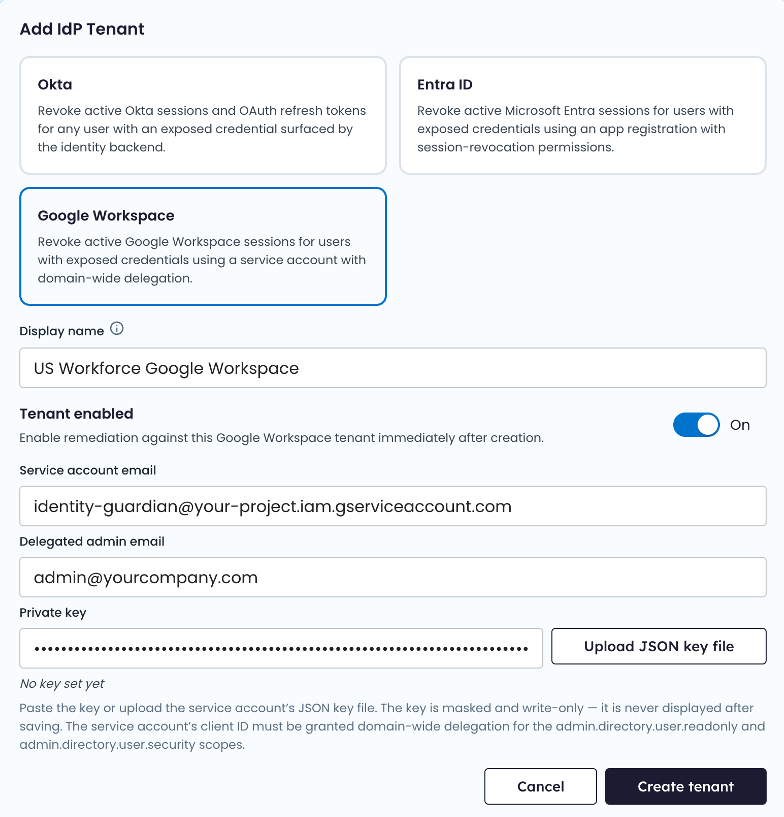
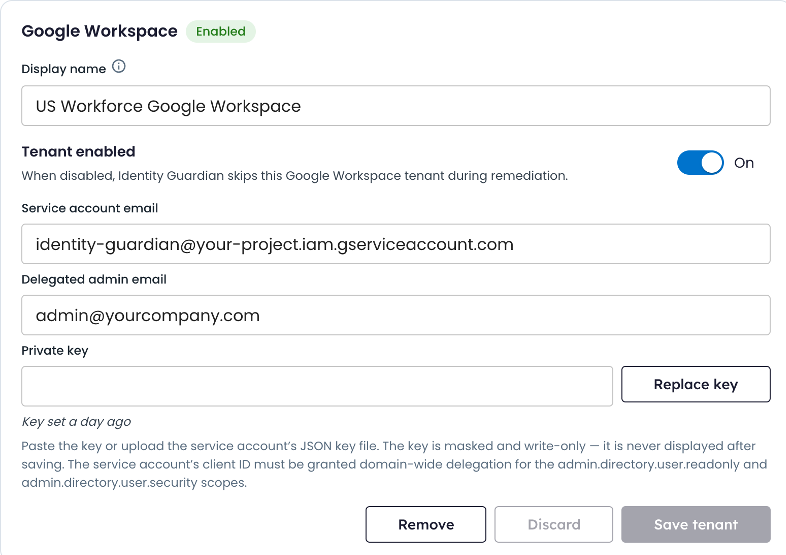
Configure Google Workspace
Before Identity Guardians can revoke Google Workspace sessions, an administrator must configure the integration in the SpyCloud console. Configuration requires a Google Cloud service account, domain-wide delegation, and an authorized Google Workspace administrator account.
For instructions, see Configuring your IdP.
Updated about 4 hours ago