
Viewing the Scan Report
Once the scan is finished, a new entry will appear in the Recent Scans list on the Dashboard, along with summary tiles at the top of the screen. The Dashboard displays the 100 most recent scans.
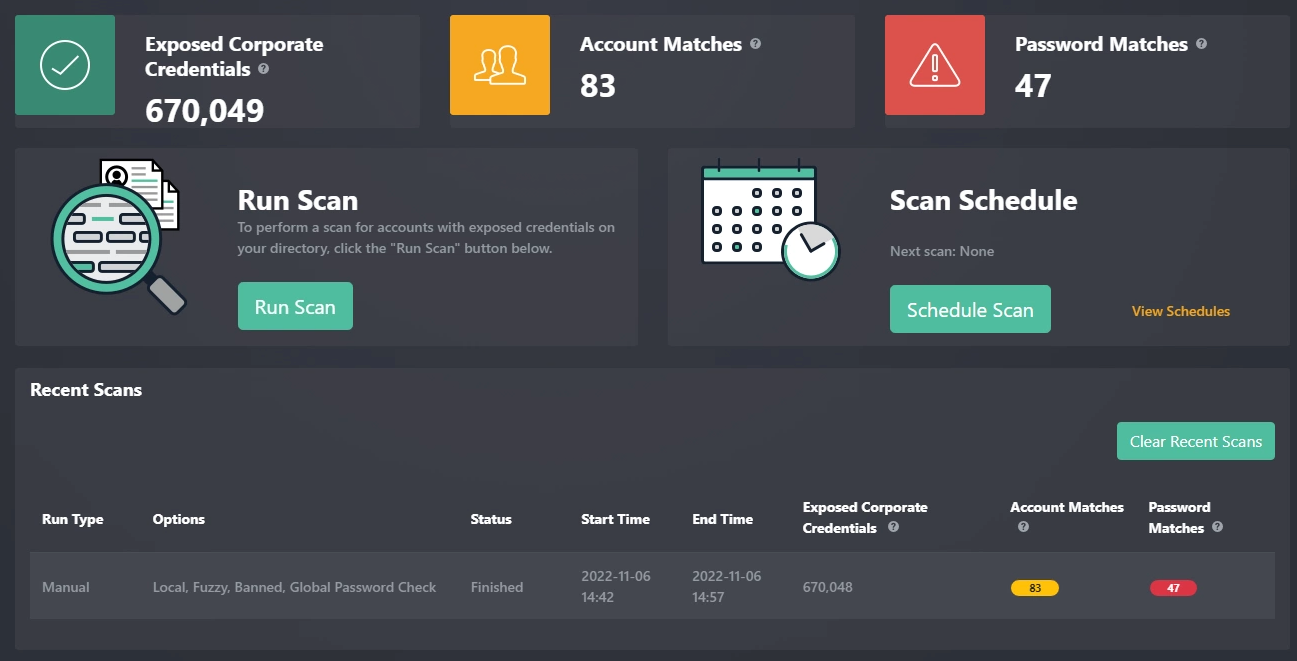
📈 Dashboard Summary Tiles
| Tile | Description |
|---|---|
| Exposed Corporate Credentials | Total number of exposed passwords for your organization, based on watchlist identifiers configured in the SpyCloud Customer Portal. |
| Account Matches | Number of matches for active AD users. Matches are based on attributes: mail, sAMAccountName, userPrincipalName, proxyAddress, targetAddress. |
| Password Matches | Number of password matches for active AD users, based on scan settings. |
Note: Running subsequent scans against the same directory with different scan types may change match counts.
📑 Detailed Reports
Click a scan line in the Recent Scans log to view a Detailed Report.
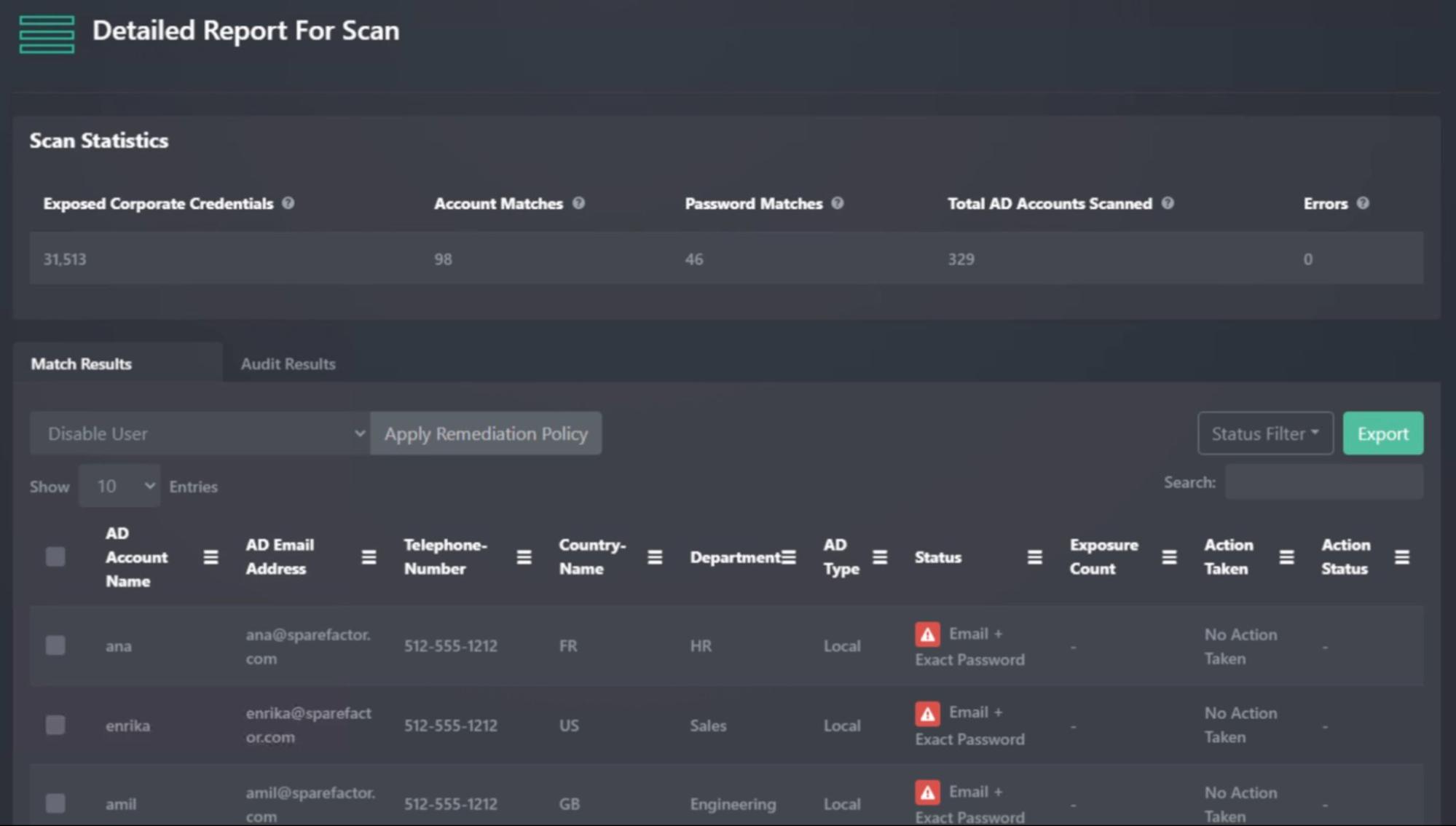
Report Contents
-
Scan Statistics at the top (e.g., total AD accounts scanned, errors)
- ⚠️ Some errors are expected when reading accounts from AD.
- Review the General Log if errors seem excessive.
-
Results Tabs at the bottom:
- Match Results → Shows exact, banned, fuzzy, all compromised, and IDLink matches
- Audit Results → Shows shared password matches
🔍 Match Results
Match Results show detected password matches with options to Search, Filter, and Export to CSV.
Status Types
| Status | Description |
|---|---|
| Email + Exact Password | Current AD password matched exactly to an exposed password. (Most severe type of match) |
| Email + Banned Password | Current AD password was found in the Banned Password list. |
| Email + Fuzzy Password | Current AD password matched a fuzzy variation of an exposed password. |
| Email + Fuzzy Banned Password | Current AD password matched a fuzzy variation of a banned password. |
| Email + IDLink Password | Current AD password matched one associated with the employee in SpyCloud’s IDLink analytics. |
| Password-Only | No account match, but the password exists in SpyCloud’s dataset. Includes Exposure Count (number of times the password appeared). |
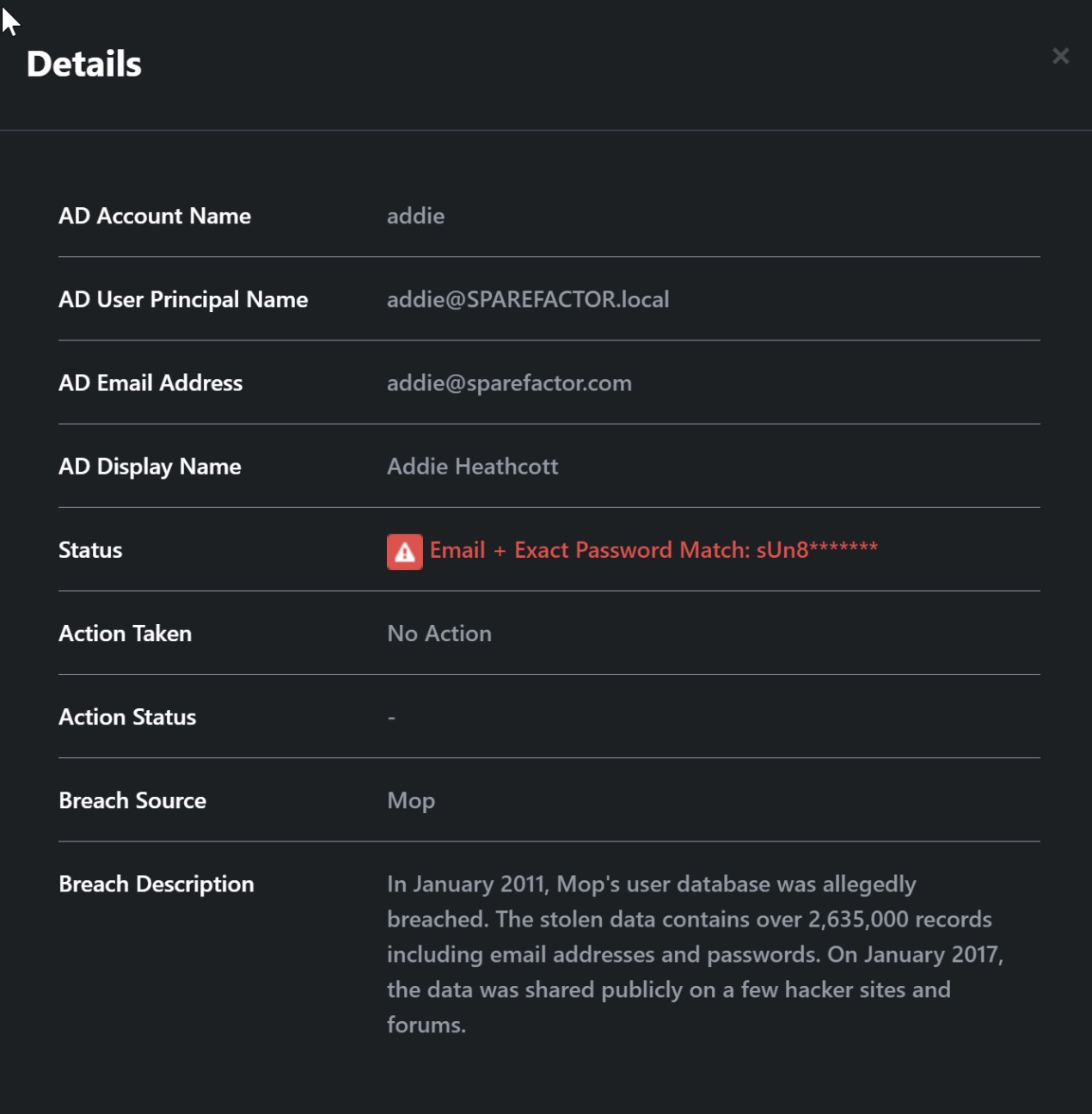
📋 Audit Results
Audit Results show shared password findings:
| Column | Description |
|---|---|
| sAMAccountNames | List of accounts that share the same password. |
| Count | Number of accounts using the same password. |
Additional capabilities:
- Search, sort, and export results to CSV.
- Apply predefined remediation policies directly to audit results.

Updated about 1 year ago
Did this page help you?