
Workforce Threat Protection Fundamentals
UNDERSTAND HOW WORKFORCE THREAT PROTECTION STRUCTURES AND CLASSIFIES EXPOSURE DATA.
Data Model & Record Types
This guide explains how Workforce Threat Protection structures and classifies exposure data. Understanding the data model helps you interpret records correctly, prioritize investigation, and filter results effectively.
🔄 How Data Is Matched to Your Organization
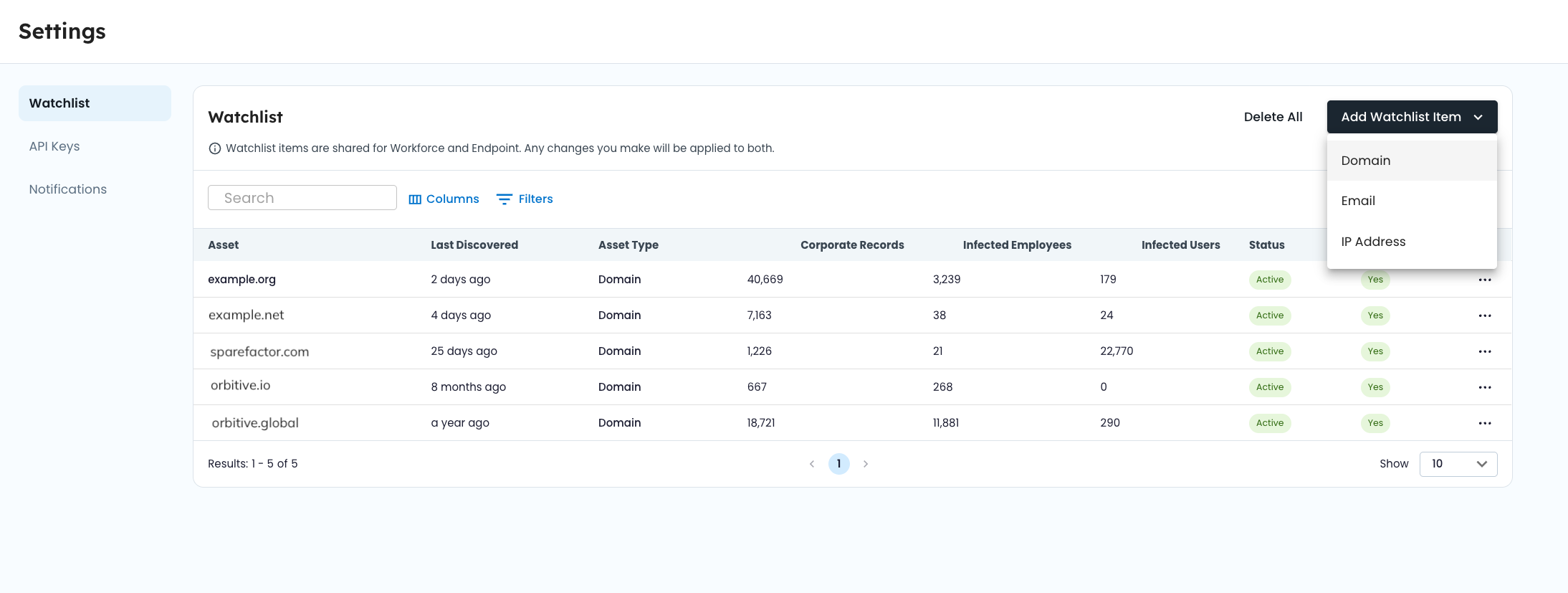
Workforce Threat Protection surfaces exposure data tied to identifiers in your watchlist.
When SpyCloud recaptures data, identifiers are processed and matched during ingestion. Matching occurs at ingestion time, not at query time.
If a recaptured record contains:
- An email address
- A domain
- An IP address
- Or other relevant identifier
It is compared against verified, active watchlist items. When a match is found, the record is linked to your organization and becomes available in your dashboards and record views.
All analytics, filters, and exports are scoped to your watchlist identifiers.
For details on identifier configuration and verification, see Watchlist Management.
📁 Record Types
Workforce Threat Protection surfaces different record types. Each reflects a different method of credential exposure.
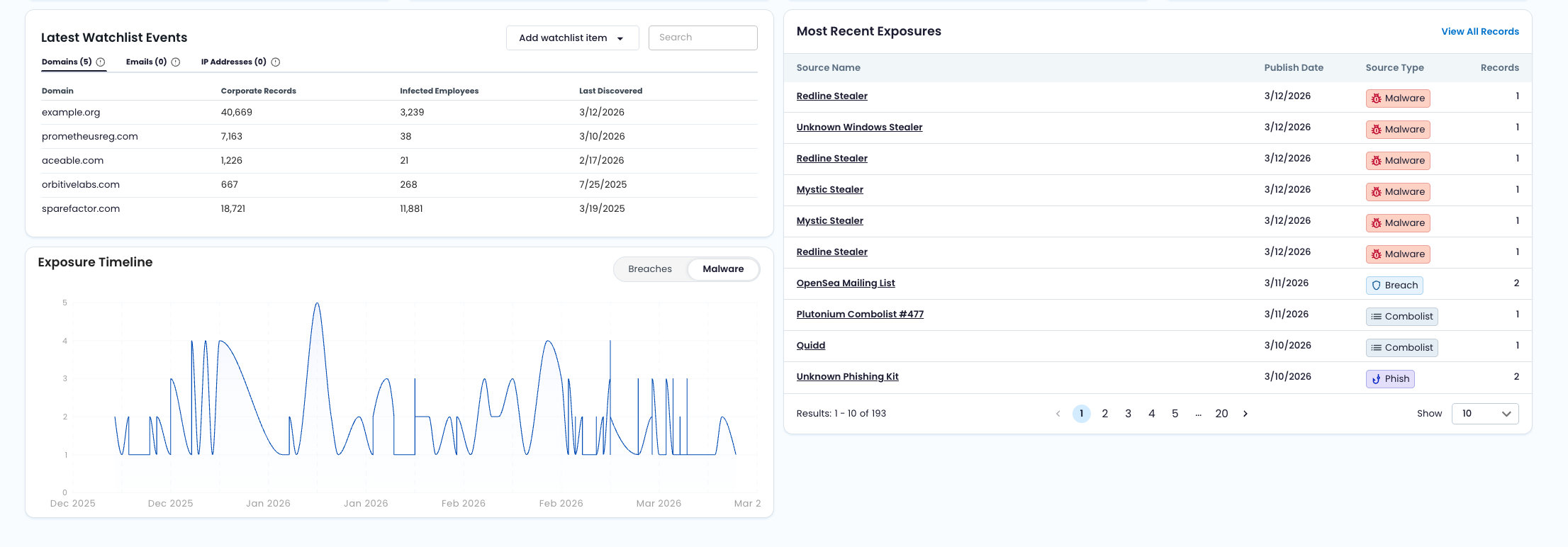
🏢 Corporate
Definition
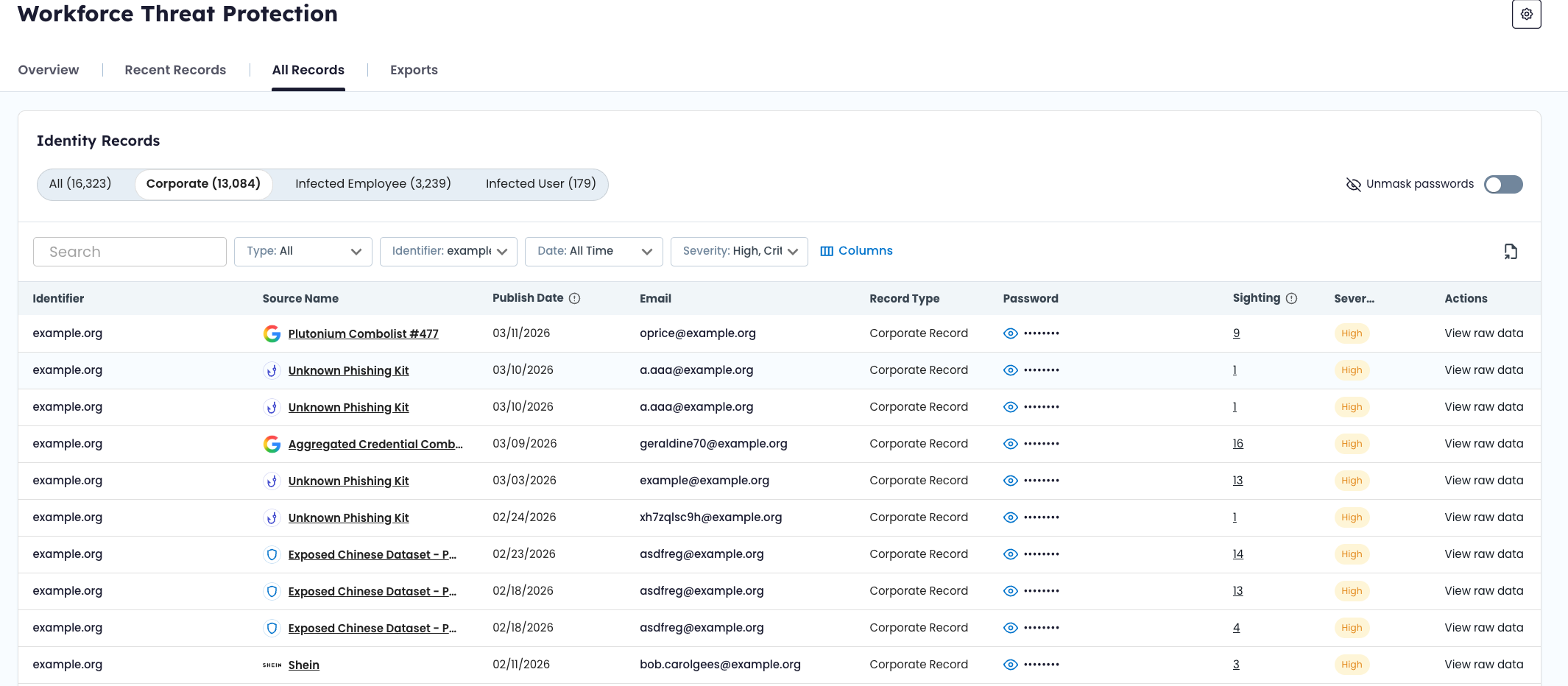
Credentials tied to your corporate email domains discovered in third-party breaches, combo lists, or successful phishing campaigns.
What this means
These records indicate that employee credentials have been exposed outside your organization’s environment. Exposure may result from:
- A breach of a third-party service
- Aggregation into a combo list traded in underground markets
- A successful phishing campaign targeting the user
Corporate records reflect exposed credentials — not necessarily active device compromise.
💻 Infected Employee
Definition
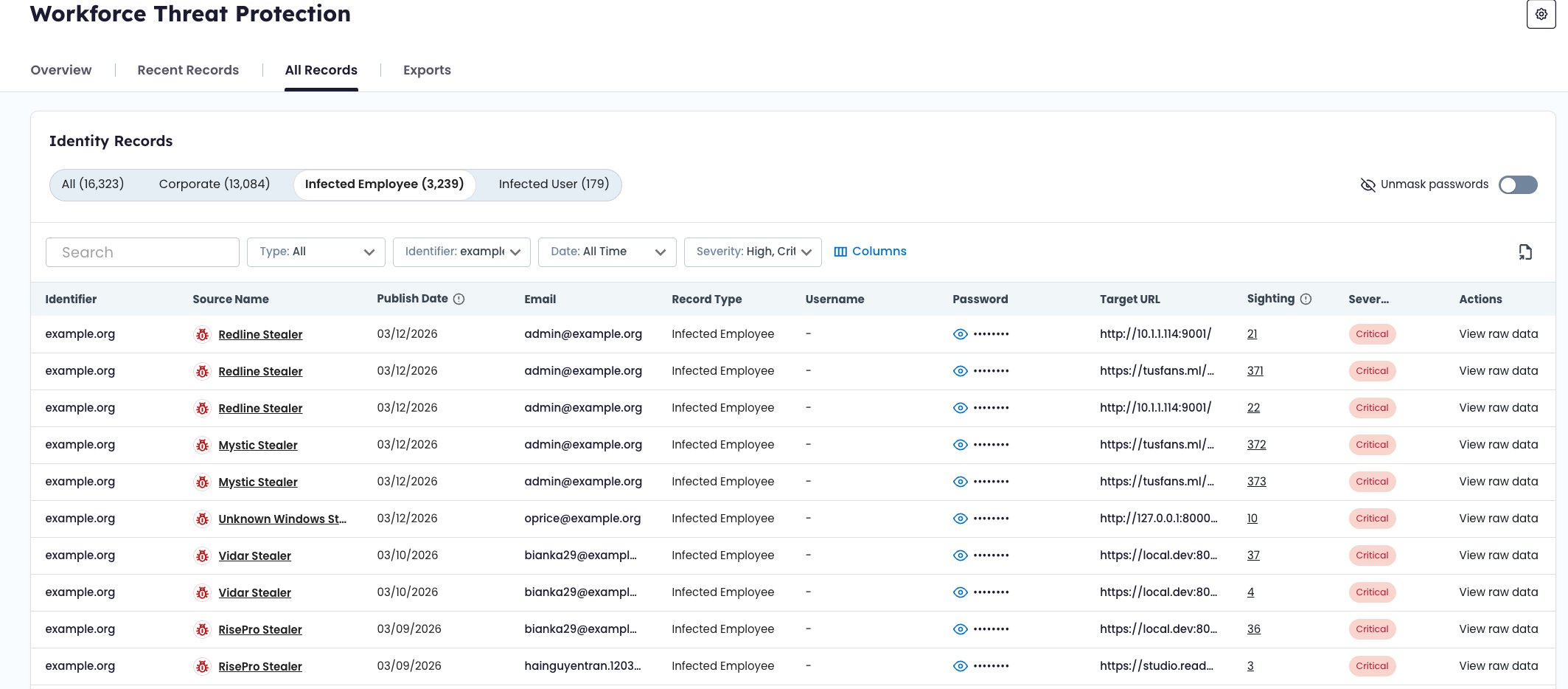
Credentials stolen directly from an employee’s device by infostealer malware.
What this means
These records indicate that malware was running on a device used by the employee and that credential data was exfiltrated.
Malware-derived records may include:
- Usernames and passwords
- Browser-stored credentials
- Autofill data
- Application login data
Infected Employee records represent a higher likelihood of credential misuse because the data is harvested directly from the endpoint.
🧭 Source Types
Each record includes a source type that indicates how the exposure occurred.
Workforce Threat Protection currently surfaces the following source types:
- Breach – Data exposed in a third-party breach
- Malware – Data stolen by infostealer malware
- Combolist – Aggregated credential lists circulating in criminal markets
- Phished – Credentials captured through successful phishing campaigns
Source type provides context for investigation and prioritization.
For detailed definitions and methodology, see Source Types in SpyCloud Docs.
🚨 Severity
Each record is assigned a severity score based on factors such as credibility, recency, and actionability.
Severity levels help you prioritize remediation but should always be evaluated alongside source context and sighting history.
Severity scoring levels include:
- Low
- Medium
- High
- Critical
- Access
For scoring methodology and detailed thresholds, see Severity Levels in SpyCloud Docs.
🗂 Record Fields and Structure
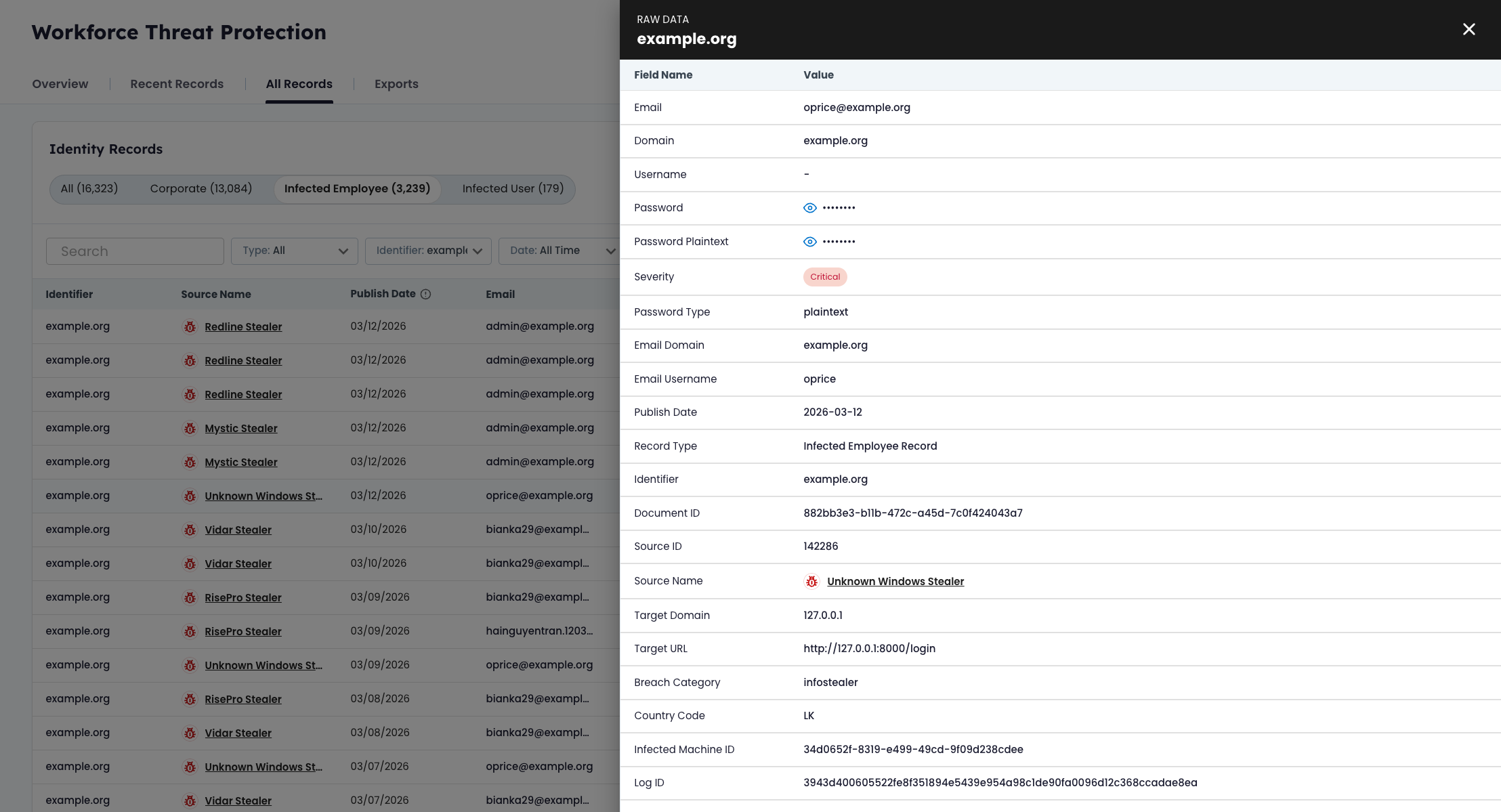
Each record contains structured fields depending on source type and record type.
Common fields may include:
- Email address
- Username
- Password (masked by default in the UI)
- Domain
- IP address
- Source title
- Severity score
- Discovery date
- Sighting count
Some records — particularly malware-derived records — may contain additional metadata such as application context or device indicators.
Field availability varies based on the type of recaptured data.
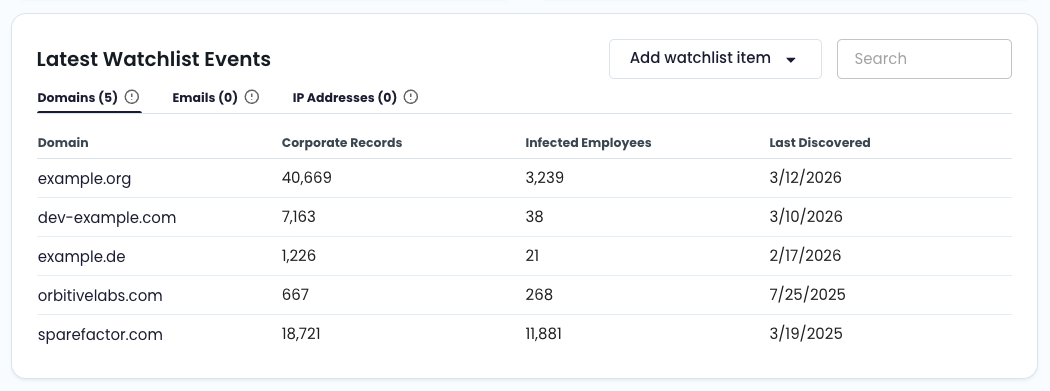
🌐 Domain Derivation and Identifier Matching
When a record contains an email address, the domain is automatically derived.
Example:
A record containing [email protected] is matched to the watchlist entry yourcompany.com.
Subdomains are also matched to their parent domain. For example:auth.yourcompany.com → yourcompany.com
Identifier types supported by Workforce Threat Protection include:
- Domain
- IP address (IPv4 or CIDR range)
- Subdomain (automatically derived from parent domain)
For configuration details, see Watchlist Management.
🧾 Record Status (Recent Records)
Records displayed in the Recent Records view include a workflow status:
- New – Recently ingested and not yet reviewed
- Updated – Existing record with newly identified or modified data
- Dismissed – Reviewed and acknowledged by a team member
Status does not change the underlying exposure data. It reflects investigation workflow only.
Operational guidance for working with these statuses is covered in Triage Workflow (Recent Records).
👁 Sighting History
Some records include a sighting count.
Sighting history reflects how many times the same email + password combination has appeared across multiple recaptured datasets.
A higher sighting count may indicate:
- Widespread circulation in underground markets
- Inclusion in multiple combo lists
- Continued reuse of exposed credentials
Sighting count should be evaluated in conjunction with severity and source type.
🔐 Exposed vs. Compromised
In Workforce Threat Protection:
Exposed credentials refer to credentials that have appeared in breaches, malware logs, combo lists, or phishing datasets recaptured from the criminal underground.
Compromised credentials generally imply that exposed data has been actively used, sold, or leveraged in follow-on attacks.
Updated 2 months ago