
Workforce Threat Protection
VISIBILITY INTO EXPOSED EMPLOYEE CREDENTIALS AND MALWARE-DRIVEN IDENTITY THREATS
Overview
Workforce Threat Protection continuously monitors recaptured data from the criminal underground — including third-party breaches, infostealer malware records, combo lists, and successful phishing campaigns — and matches that data against assets you define. When employee credentials are exposed, SpyCloud surfaces the records, context, and metadata needed for investigation.
This product helps security teams understand what criminals already know about their workforce identities — and where that exposure may introduce risk.
🔎 What Workforce Threat Protection Monitors
Workforce Threat Protection identifies exposure tied to:
- Corporate email domains
- Individual employee email addresses
- Organizational IP addresses
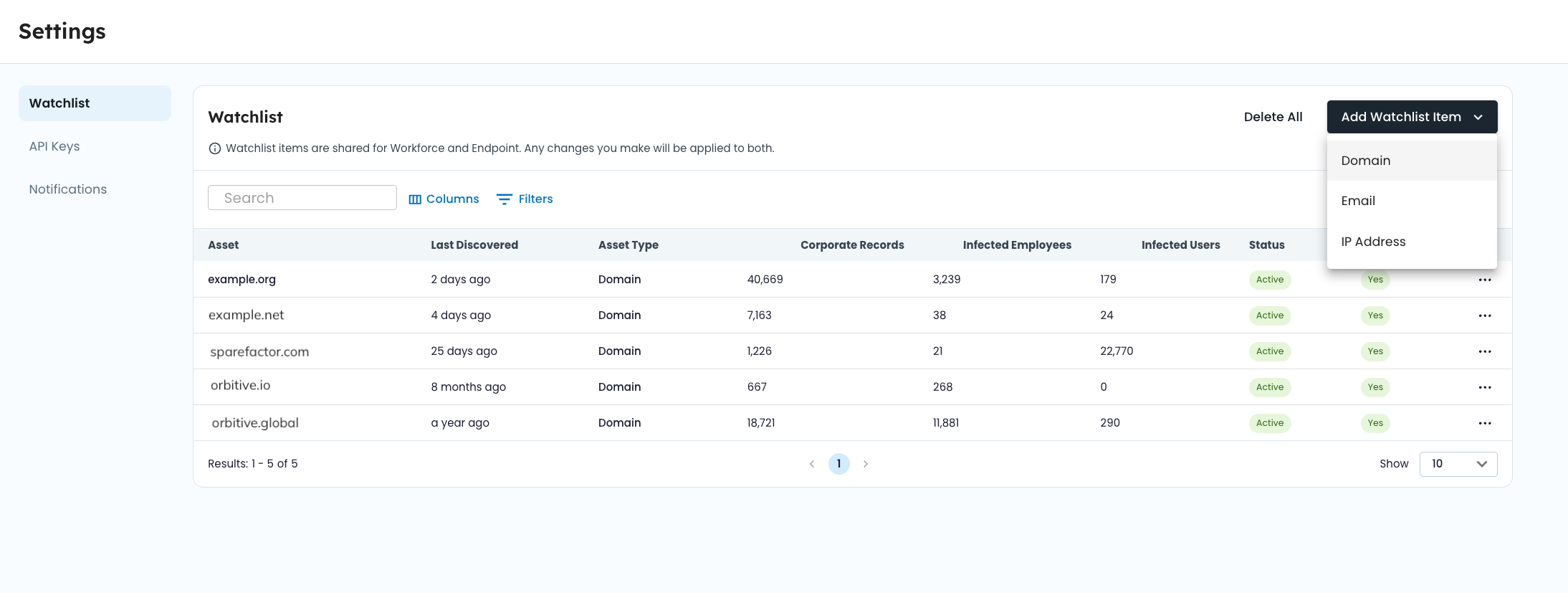
These identifiers are configured in your watchlist. Once added and verified, SpyCloud continuously matches them against newly recaptured data, as well as historical datasets (backfill where available).
Matched records may include:
- Exposed usernames and passwords from third-party breaches
- Credentials circulating in combo lists traded in underground markets
- Stolen credentials and browser data from infostealer malware infections
- Data captured through successful phishing campaigns
All matched records are surfaced in structured views to support filtering, investigation, and export.
⚙️ How It Works
1️⃣ Define your watchlist
Add corporate domains, employee email addresses, and IP addresses associated with your organization.
2️⃣ SpyCloud matches against recaptured data
Identifiers are continuously matched against recaptured breach data, malware logs, combo lists, and phished data collected from the criminal underground.
3️⃣ Records are pre-associated at ingestion
Matching occurs during data processing. Records tied to your identifiers are linked to your organization and made available in the console.
4️⃣ Investigate and analyze exposure
Use dashboards, filters, and record views to analyze exposure trends, prioritize high-severity records, and export data for downstream workflows.
📊 What You’ll See
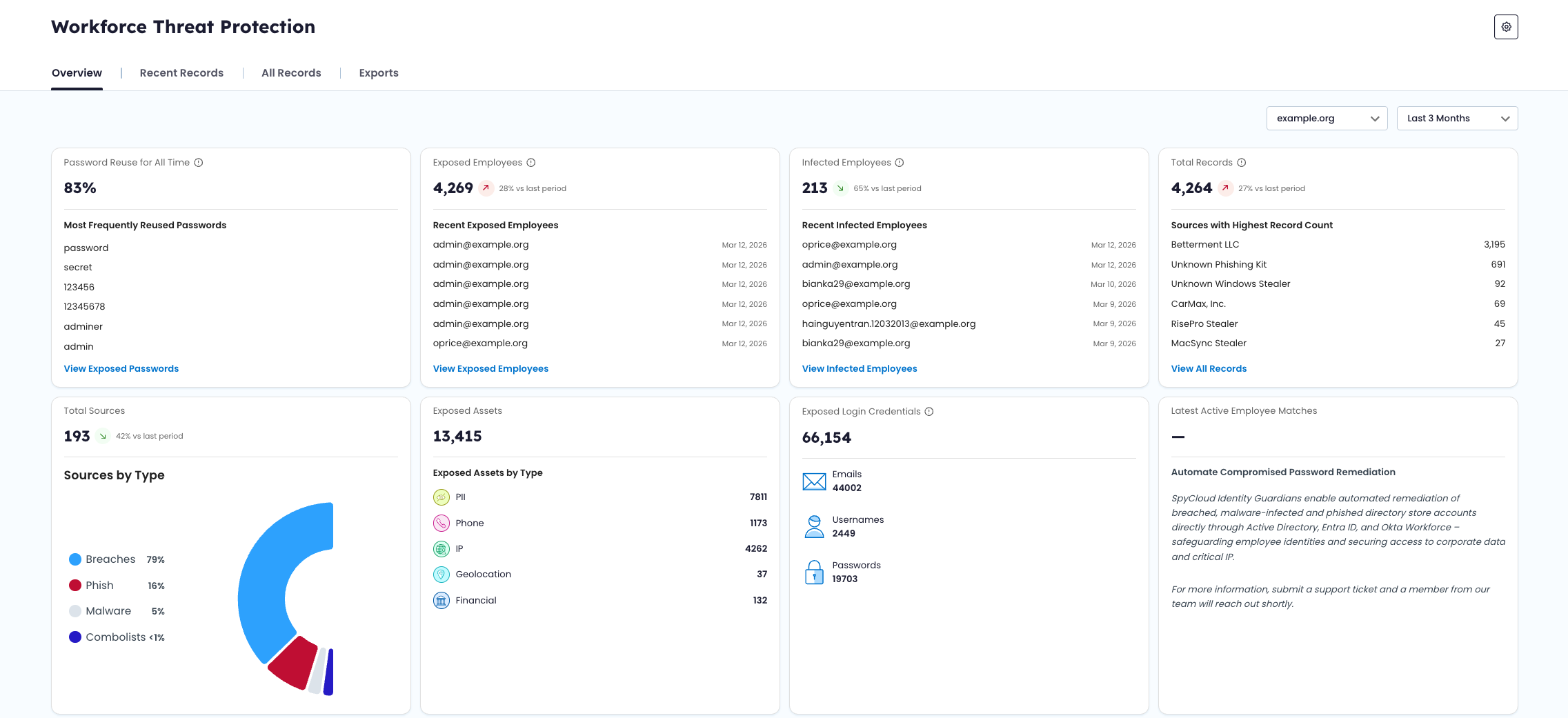
Overview Dashboard
High-level metrics and trend analysis, including:
- Exposed employee counts
- Infected employee counts
- Password reuse rates
- Total matched records
- Exposure timelines
- Most recent matches
Use this view to monitor changes in workforce exposure over time.
All Records View
A searchable, filterable dataset of all matched records associated with your watchlist identifiers.
From this view, you can:
- Filter by record type, severity, source, identifier, and date range
- Search across identifiers and source titles
- Open record detail drawers to review full exposure context
- Export filtered datasets
Recent Records
A triage-focused view of newly ingested or recently updated records.
Records are categorized by status (New, Updated, Dismissed) to help teams track remediation progress.
Exports
Flexible export options allow you to download filtered datasets for internal workflows, reporting, or integration with external tools.
🧩 Understanding the Data
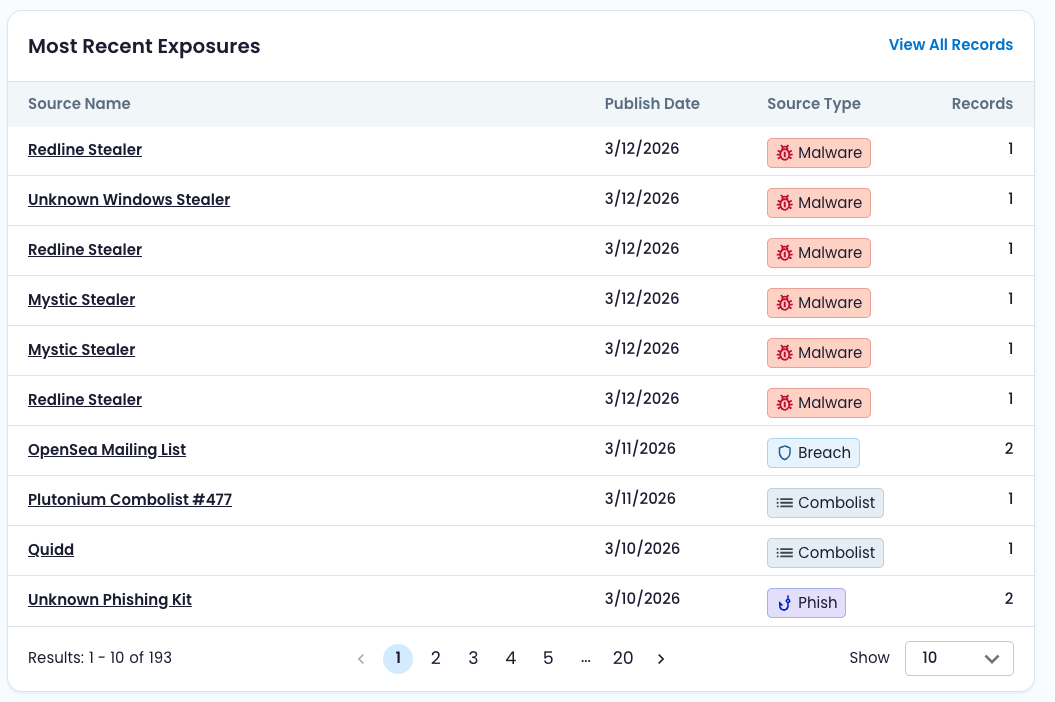
Workforce Threat Protection surfaces multiple types of exposure records, each reflecting a different method of credential compromise.
To understand:
- Record types (Corporate, Infected Employee, Infected User)
- Source types (Breach, Malware, Combolist, Phished)
- Severity scoring
- Watchlist behavior
See:
- Data Model & Record Types
- Watchlist Management
These guides explain how records are structured and how data is associated with your organization.
Updated 6 months ago