
Understanding AI Insights
FEATURE AVAILABLE ON INVESTIGATIONS PRO LICENSE ONLY
🤖 Overview
SpyCloud’s AI Insights feature transforms raw search and pivot data into an automatically generated findings report. It highlights key patterns, relationships, and behavioral signals — helping investigators move from data collection to actionable conclusions faster.
The report type is called Identity Findings, which specializes in related assets such as:
- Emails
- Usernames
- Phone numbers
This feature does not support domain-based queries.
🧭 Navigation
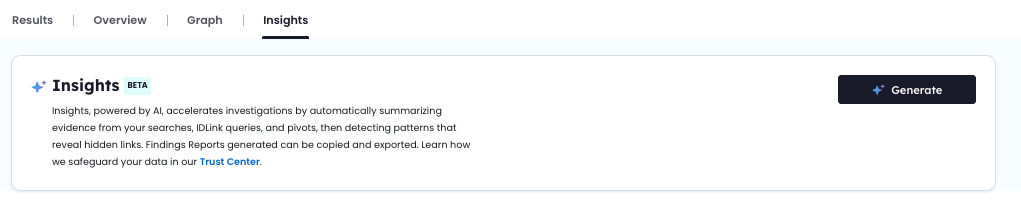
When working within the Investigations module, AI Insights is accessible as the right-most tab on the investigation workspace.
👇AI INSIGHTS FEATURE
⚙️ Generating an Insights Report
- Click Generate in the Insights tab
- AI Insights collects:
- All records from your searches
- All records added through pivots
- A loading indicator appears while sections are generated in sequence
- When finished, options to Download (PDF) or Copy as Markdown appear
👇FINDINGS REPORT
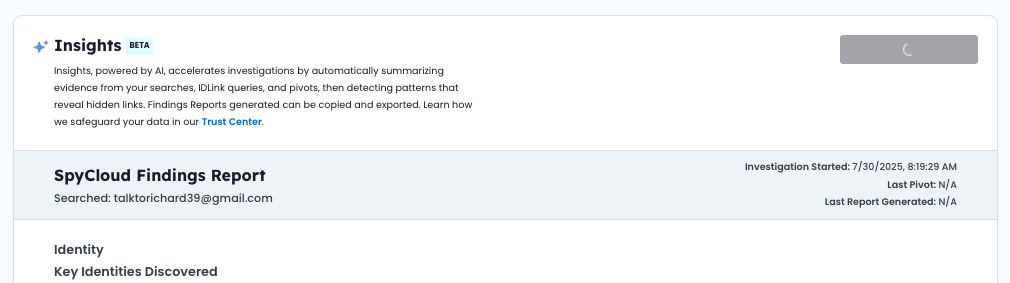
📋 Report Details
🧑 Identity
Key Identities Discovered
Enumerates each distinct individual, listing:
- Primary and secondary emails
- Observed aliases and usernames
- Common or reused passwords
- Inferred location (if present)
Detected Relationships
Narrative bullets describing:
- Credential sharing
- Overlapping infrastructure
- Other linkages that indicate aliases or cooperation
Notable Patterns
Highlights of:
- Naming conventions
- Credential-reuse themes
- Geography clutering, etc.
Conclusion
Concise assessment tying the identities together and noting investigative implications.
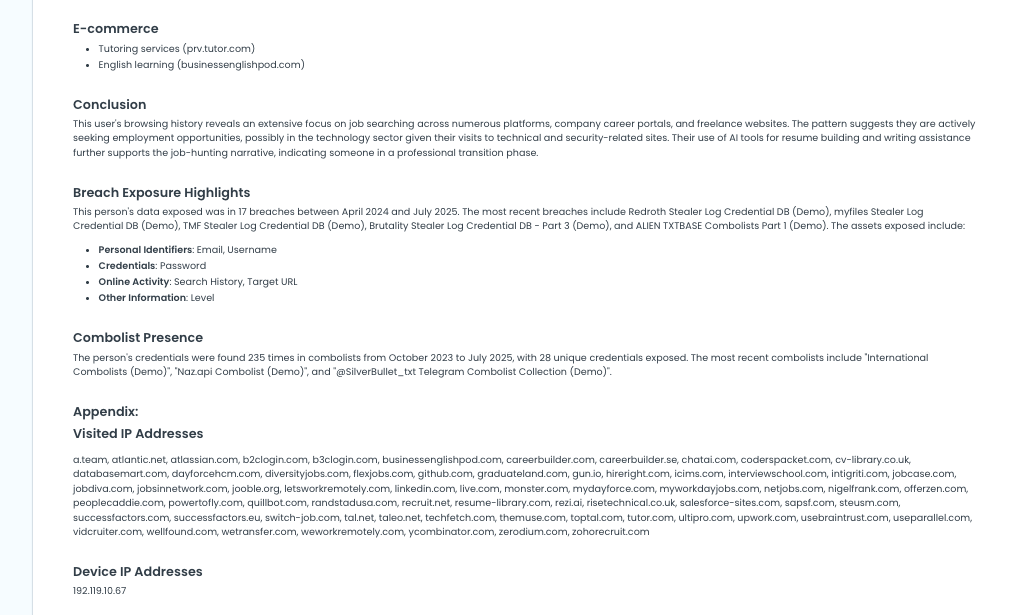
🐛 Malware Infection Footprint
Infection Timeline
- Malware family names (e.g., Redline, Mars Stealer)
- Infection count and publish date range
Visited Websites
- Categorized by context:
- Job Search
- AI Tools
- E-commerce
- Authentication & Security
- Developmental & Technical
- Productivity & Design
- Authentication & Security
Conclusion
Analyst summary of behavioural themes or intent suggested by browsing activity.
👇EXAMPLE OF REPORT DETAILS
✅ Best Practices for Using AI Insights
🟢 Before an Investigation
Run an initial Insights report immediately after your first search to immediately understand:
- Identity clusters
- Digital footpring
- Breach exposure
This early pass helps prioritize which selectors deserve deeper investigation.
🔁 During an Investigation
Use the Insights report in parallel with Graph and Results tabs to validate or refute assumptions.
Best practices:
- Regenerate the report after meaningful pivots or data expansions
- Use identity summaries to guide additional searches
- Look for unexpected malware infections or cross-selector relationships
- Use the Appendix section to extract infrastructure clues (IPs, visited URLs)
🧾 After an Investigation
Generate a final Insights report to serve as:
- A summary for reporting or internal handoff
- An attachment in case notes or investigation records
- A snapshot for regulatory compliance or SOC documentation
Export options:
- PDF (for reporting)
- Markdown (for internal documentation)
Consider saving this alongside your CSV export for a complete audit trail.
Updated about 1 year ago