
API Key Management
How to access and manage SpyCloud API Keys
Managing Your SpyCloud API Key
The SpyCloud Console gives you a centralized view of your active API keys. You can view and copy your API credentials, monitor query usage, review access settings and rate limits, and access documentation to support your integrations.
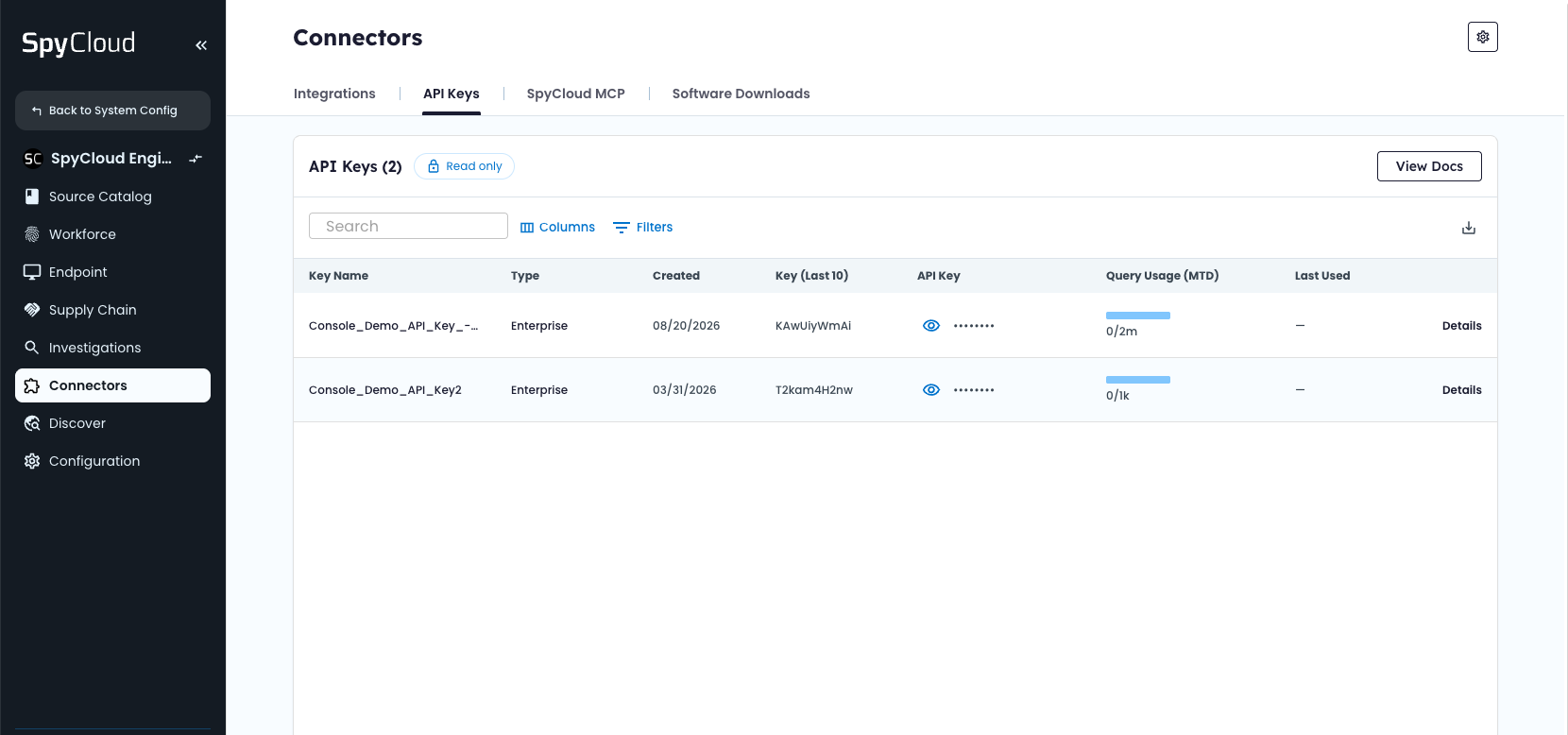
Access and manage your API Keys within the Connectors module in the SpyCloud Console
Access your API keys
To access your API keys:
- Log in to the SpyCloud Console.
- Navigate to Connectors > API Keys.
- Review the API Keys table to see the active keys associated with your organization.
The table displays active API keys only. Paused, archived, and deleted keys aren't shown. You can use the table controls to find and review specific keys:
- Search: Find API keys by name.
- Columns: Show or hide available table columns.
- Filters: Narrow the keys displayed in the table.
- Pagination: Navigate between pages or adjust the number of keys displayed.
Note: The API Keys page is read-only. You can view key information and configuration settings, but you can't create, edit, or revoke API keys directly in Console.
Understand your API key information
The API Keys table displays key information to help you identify credentials, monitor usage, and troubleshoot integrations.
| Column | Description |
|---|---|
| Key Name | The name assigned to the API key. |
| Type | The API or portal type associated with the key, such as Enterprise. |
| Created | The date the API key was created. |
| Key (Last 10) | The last ten characters of the API key, visible to all users regardless of role. |
| API Key | The full API key, masked by default. Administrators can reveal and copy the key using the eye icon. This column isn't available to Operators. |
| Query Usage (MTD) | The number of API queries used during the current month compared with the monthly query limit. |
| Last Used | When the API key was last used. Keys that haven't been used display "Never." |
| Details | Opens additional information about the key, including its IP whitelist and per-second rate limit. |
View and copy an API key
If you're an Org Admin, you can reveal and copy a full API key directly from the table.
- Locate the key in the API Keys table.
- Select the eye icon in the API Key column to reveal its full value.
- Select the copy icon to copy the key to your clipboard.
For security, API keys are masked by default. Operators can view only the last ten characters and can't reveal or copy the full value.
Security tip: When contacting SpyCloud Support, provide the last ten characters of your key rather than the full value. This helps Support identify the correct key without exposing sensitive credentials.
Monitor API query usage
The Query Usage (MTD) column shows how many API queries you've used during the current month compared with your monthly allowance. A progress bar provides a visual indication of how much of your monthly quota you've consumed.
Monthly usage resets on the first day of each month.
Review API key details and rate limits
Select Details next to an API key to open its detail panel. The panel provides additional information about the key's configuration and access restrictions.
IP whitelist
The IP Whitelist displays the IP addresses and CIDR ranges currently authorized to use the API key. Use this information to verify that your integration's IP addresses are included in the key's allowed list. The IP whitelist is read-only in Console.
Per-second rate limit
The Rate Limit shows the maximum number of API requests permitted per second for the selected key. This limit is separate from your monthly query allowance:
- Monthly query limit: The total number of API queries permitted during a calendar month.
- Per-second rate limit: The maximum number of API requests permitted in a single second.
For example, a key with a rate limit of 10 requests per second can make up to ten requests per second, subject to its monthly query allowance.
Rate limits may vary by API key type. Review the Details panel to see the limit that applies to your key.
Access SpyCloud API documentation
Select View Docs in the upper-right corner of the API Keys page to access SpyCloud's API documentation.
The documentation provides information about available endpoints, authentication, request parameters, response formats, and integration requirements. SpyCloud API Documentation
Updated about 6 hours ago