
Investigating Alerts
IN SPYCLOUD COMPASS
Once you’ve identified a high-risk alert, SpyCloud Compass makes it easy to investigate exposure details, evaluate risk, and determine next steps.
This page outlines how to dig into alerts and uncover what really happened – without pivoting across multiple tools.
🧭 Where to Start
From the Alerts dashboard or the Compromised Devices view:
- Click on the selector (email or hostname) in any alert row
- You’ll be taken to the Alert Details Panel, which includes:
- Exposed domains and application logins
- Log ID and malware family (for malware sources)
📄 Sample Alert Detail Panel
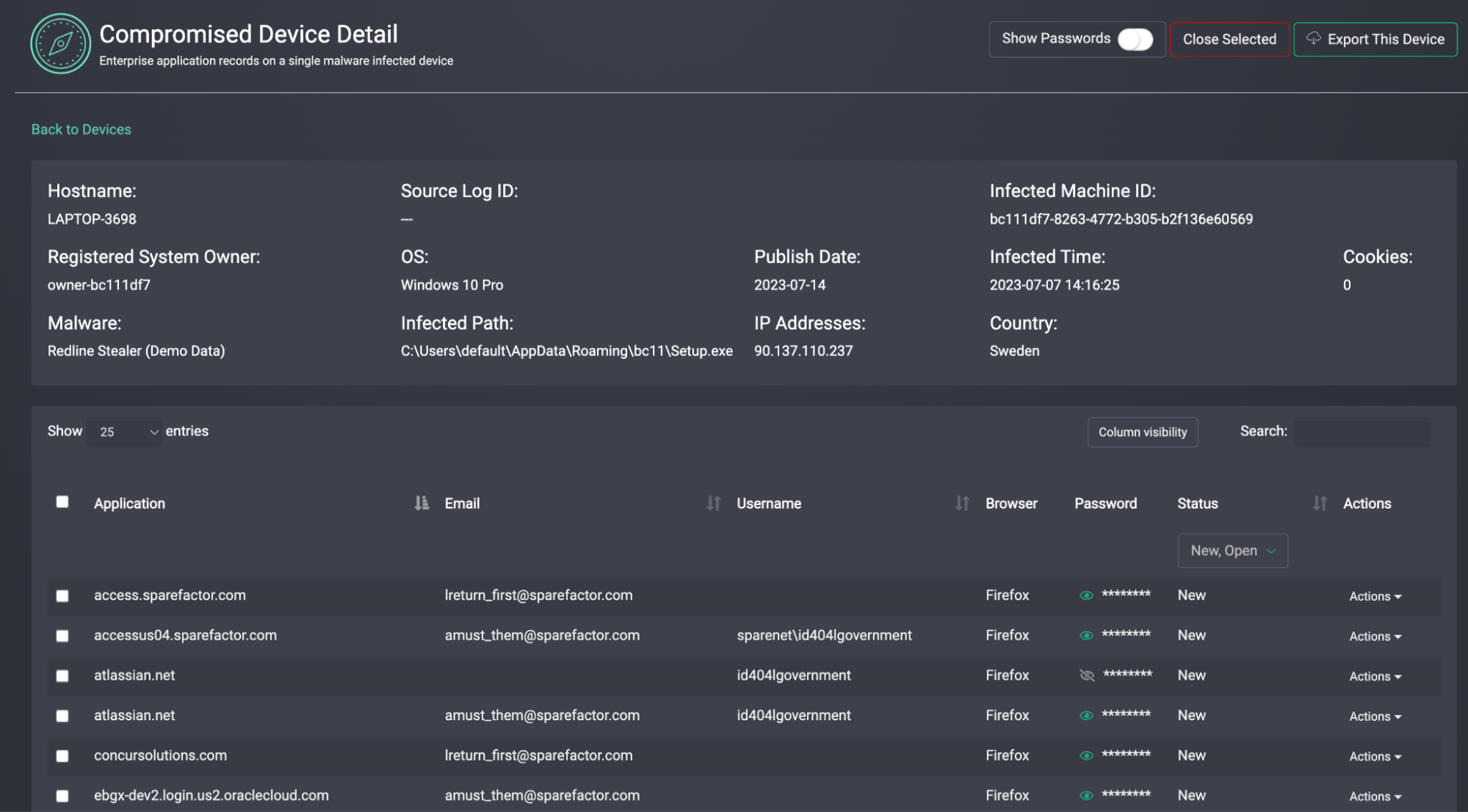
This view helps analysts evaluate:
- What kind of compromise this is (malware vs reused credentials vs phished data)
- Whether the exposed identity is internal, external, or third-party
- Whether the data is recent and credible
🧠 Questions to Ask
| Investigation Prompt | Why It Matters |
|---|---|
| Was the password reused? | Indicates account compromise or reuse risk |
| Is the domain owned by us? | Helps scope whether the alert is actionable |
| Is this a known identity? | Confirm via HRIS or user lookup |
| Has this user triggered past alerts? | Pattern detection and potential targeting |
🔍 Pivoting on Selectors
Each Compass alert includes enriched metadata you can use to pivot into other records:
| Selector Type | Use Case Example |
|---|---|
email_username | Find reused credentials across providers |
password_plaintext | Search for shared password reuse in your org |
infected_machine_id | Link alerts from the same device |
log_id | Group multiple alerts from a single malware log |
For deeper investigation, copy the selector and run it in the Investigations Module or through the IDLink API.
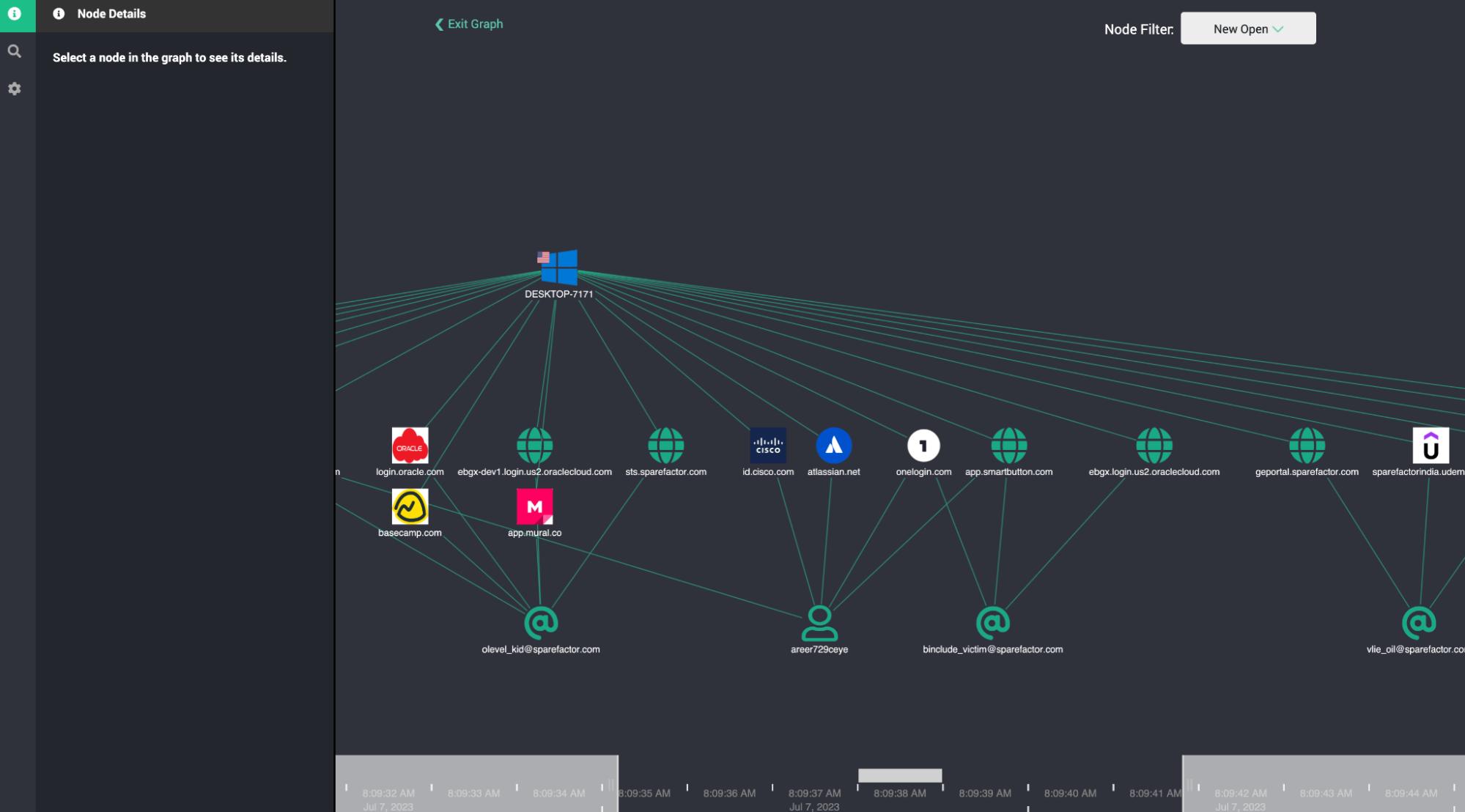
🔗 Using the Device Graph
If the alert is malware-based, use the Graph View to map connections:
- Click into the device alias
- View all linked accounts, emails, domains, and passwords
- Use this to identify lateral movement, reuse, or clustered exposure
👇GRAPH VIEW
💡 Tip: Investigate in Tiers
Some alerts need immediate action. Others can wait. Here's a triage strategy:
| Priority | Action |
|---|---|
| 🔴 High (Severity 25 + domain match + Malware Source) | Escalate and remediate immediately |
| 🟠 Medium (Severity 20 + internal domain + plaintext password) | Review for risk and context |
| 🟢 Low (Severity < 10 or external domain) | Monitor, tag, or suppress if appropriate |
📎 Quick Links
Updated 11 months ago
Did this page help you?