
Anomali ThreatStream
SpyCloud Enterprise Integration for Anomali
Version: 2.0.0
Last Updated: April 2026
Platform: Anomali ThreatStream
Integrate SpyCloud breach data directly into Anomali ThreatStream to detect exposed credentials and respond to threats faster.
🚀 What This Integration Does
SpyCloud Enterprise Protection streams breach intelligence into ThreatStream via the SpyCloud Enterprise API.
Key Benefits
🔍 Detect exposed credentials in near real-time
⚡ Accelerate response to:
Account takeover (ATO)
Fraud activity
Ransomware threats
🔗 Correlate breach data within ThreatStream threat models
💡 Tip: This integration works best when paired with active monitoring and response workflows in ThreatStream.
Requirements:
Before getting started, make sure you have:
- Access to Anomali ThreatStream-
- A valid SpyCloud API Key - Retrieve it here: https://portal.spycloud.com/api
- SpyCloud Workforce Protection license
Optional Endpoint Protection (Compass) license for enriched data
Setup & Activation
Follow these steps to enable the SpyCloud integration.
- Navigate to the App Store
From the ThreatStream left navigation:
App Store → App Store
Search for SpyCloud
Enter spycloud in the search bar:
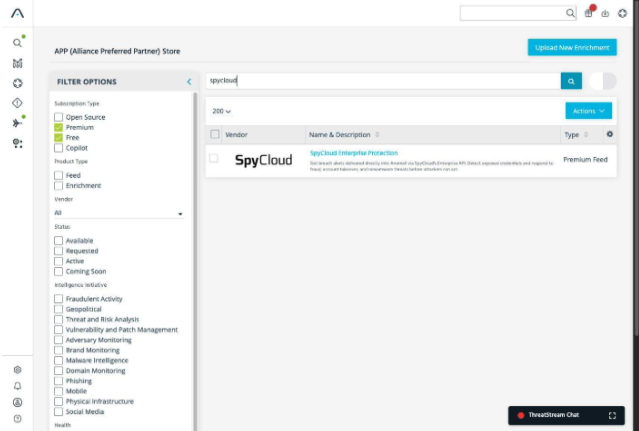
Type: The integration appears as a Premium Feed
- Deploying the Integration:
Step Action Details 1 Open SpyCloud Integration Click the SpyCloud tile 2 Verify Configuration Ensure:
• Product Type: Premium Feed
• Status: Inactive3 Provide Credentials Click "I have credentials" 4 Open Credentials Tab Navigate to the Credentials tab 5 Enter API Key Paste your SpyCloud API Key 6 Activate Integration Click Activate
Note: Initial data ingestion may take up to 60 minutes
🛠 Troubleshooting
Having issues? Try these quick fixes:
🚫 Activate Button Disabled
Cause:
Access has already been requested.
Resolution:
Contact your Anomali account t eam to complete provisioning.
❌ Invalid API Key
Check the following:
- Ensure there are no extra spaces when copying the API key
- Confirm your SpyCloud subscription is active
⏱ Feed Still Inactive
What to do:
- Allow up to 60 minutes for the initial data sync
Then verify status:
Manage → FeedsHow It Works
Once activated, SpyCloud data flows directly into ThreatStream.
Data Ingestion
Once the integration is activated, SpyCloud data is continuously ingested into Anomali ThreatStream.
Where to Find the Data
All ingested records are available under:
Observables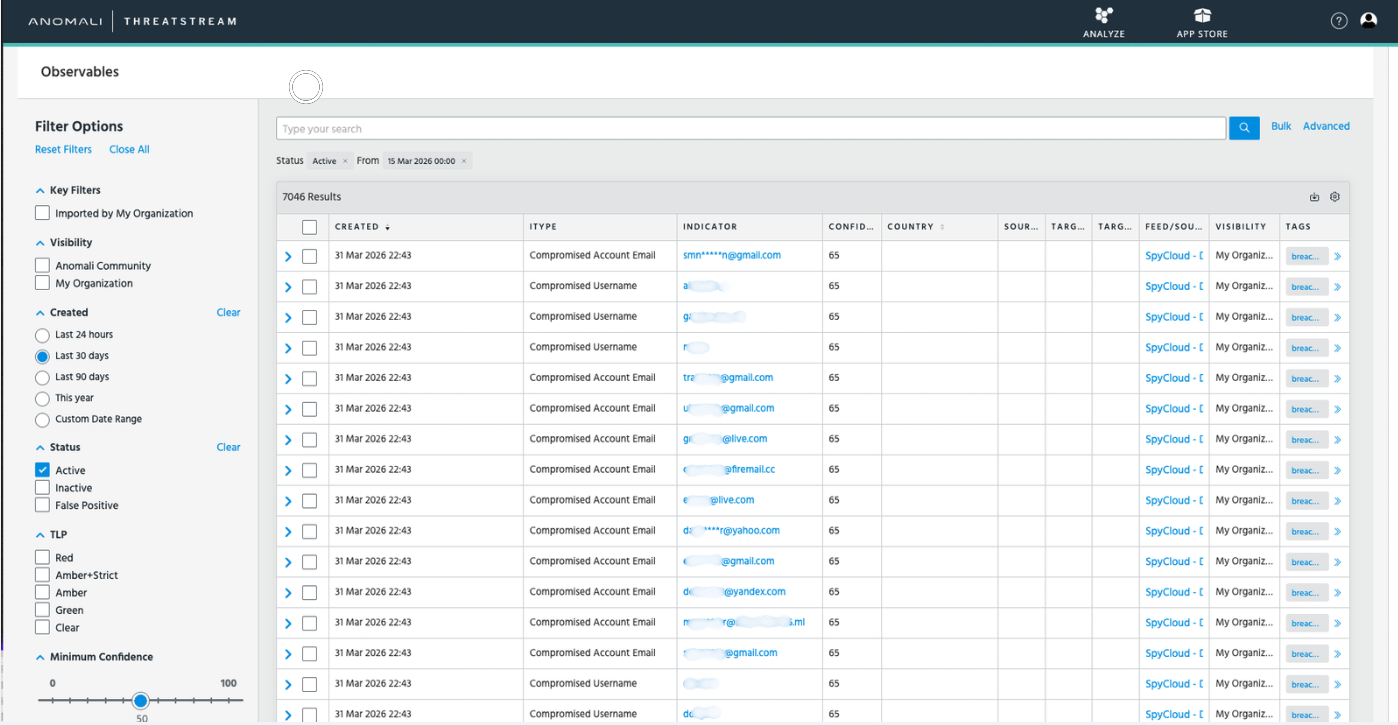
🧠 Threat Model Correlation
SpyCloud data is automatically grouped using a Breach ID.
This allows you to:
View related compromised assets together
Understand the scope of a breach
Investigate faster within a single context
🔗 Associations & Asset Visibility
Within each threat model:
All related assets are linked under Associations
You can drill down into:
Individual users
Credentials
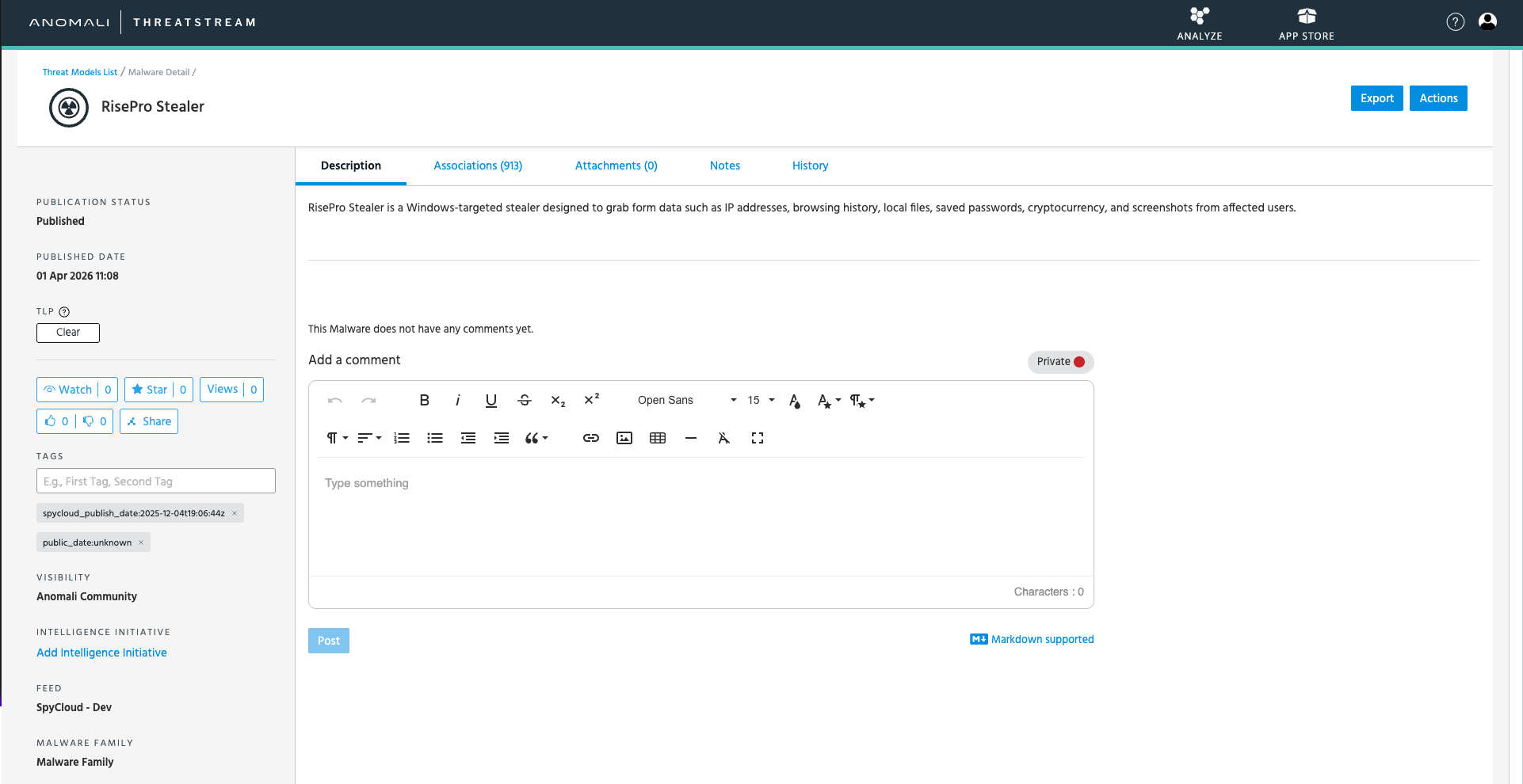
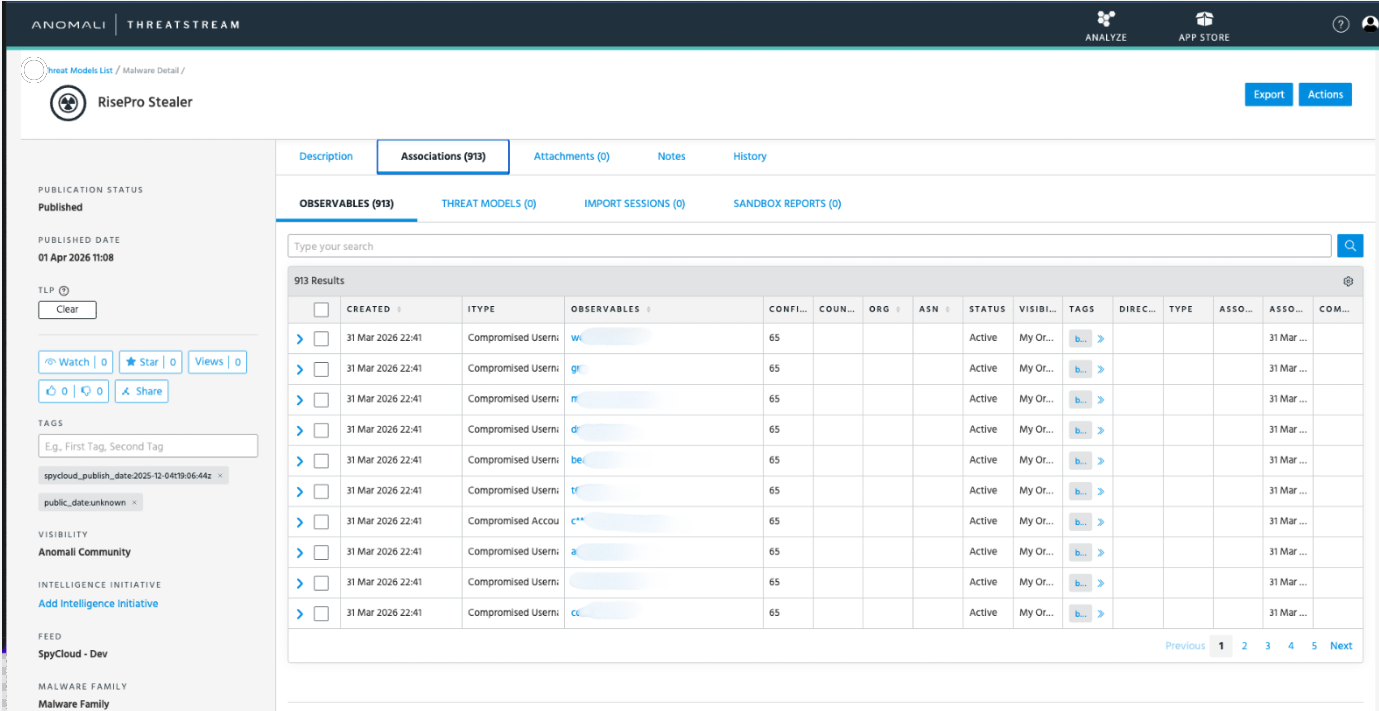
Each asset includes:
- Raw breach logs
- Credential exposure details
- Timeline of compromise
Tags & Metadata
SpyCloud enriches records with structured tags:
| Tag | Description |
|---|---|
breach_title | Name of the breach |
compromised_username | Exposed username |
password_type | Plaintext or hashed password |
record_type | Watchlist or Compass record |
severity | Risk level |
spycloud_publish_date | Date published |
target_uri | Associated system |
These tags help drive automation, filtering, and prioritization workflows.
Support
Need help? Reach out to the appropriate team below:
☁️ SpyCloud Support
🛡️ Anomali Support
- Contact your Customer Success Manager for assistance
Updated 6 months ago