
View All Records
ALL RECORDS VIEW
Viewing Records (All Records View)
Learn how to browse, filter, search, and analyze exposure records in the All Records view .The All Records view provides a searchable, filterable dataset of all exposure records associated with your watchlist identifiers.
This view allows you to:
- Browse all matched records
- Filter by type, severity, source, identifier, and date range
- Search across key record fields
- Open detailed record views
- Export filtered datasets
All records shown here are scoped to verified, active identifiers in your watchlist.
For details on how identifiers drive visibility, see Watchlist Management.
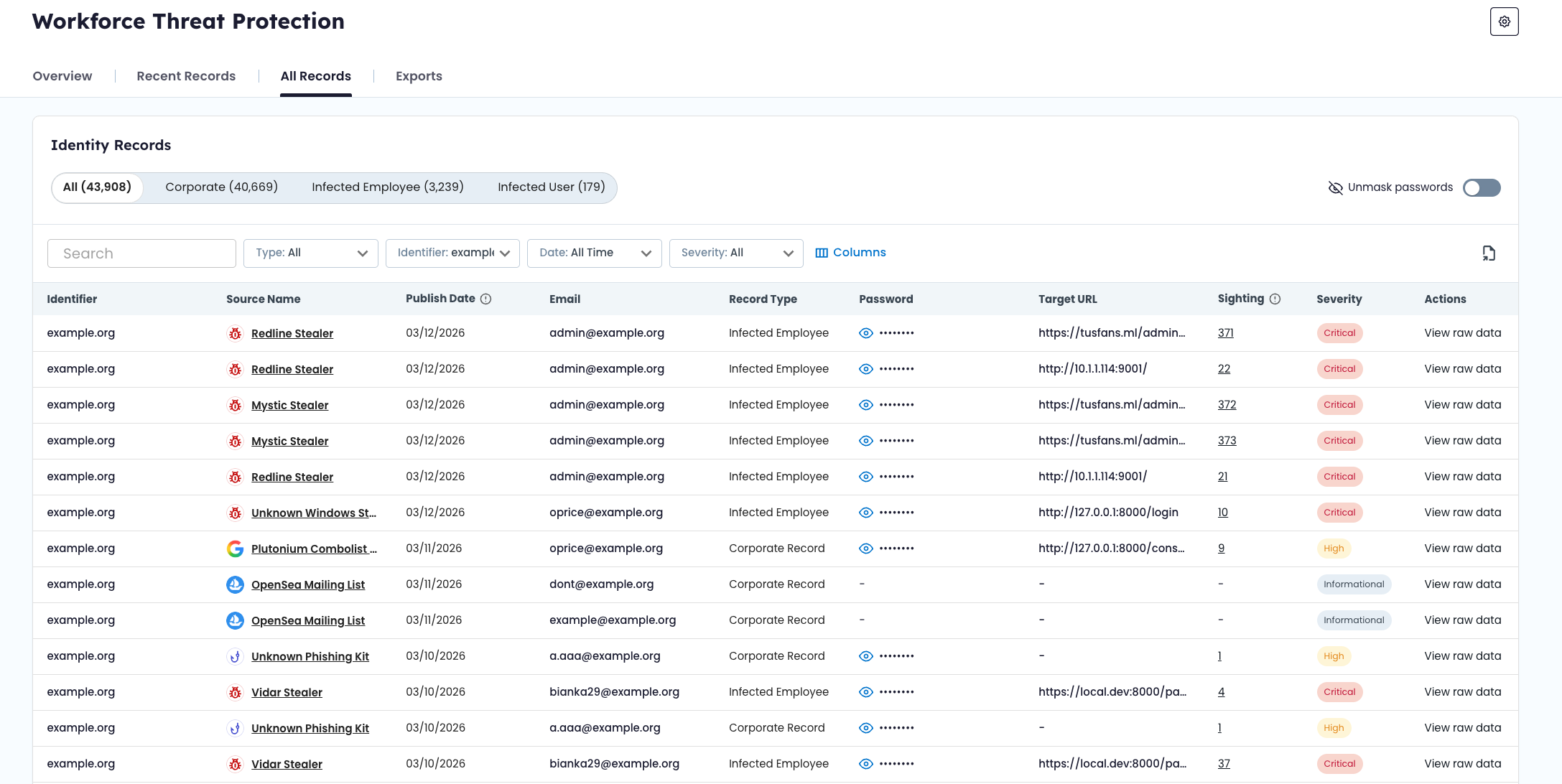
📂 Record Type Tabs
At the top of the All Records view, records are organized by type:
- All – Displays all record types
- Corporate – Credentials exposed in breaches, combolists, or phishing campaigns
- Infected Employee – Credentials stolen by infostealer malware
Record type definitions are explained in Data Model & Record Types.
Selecting a tab narrows the dataset to that specific category.
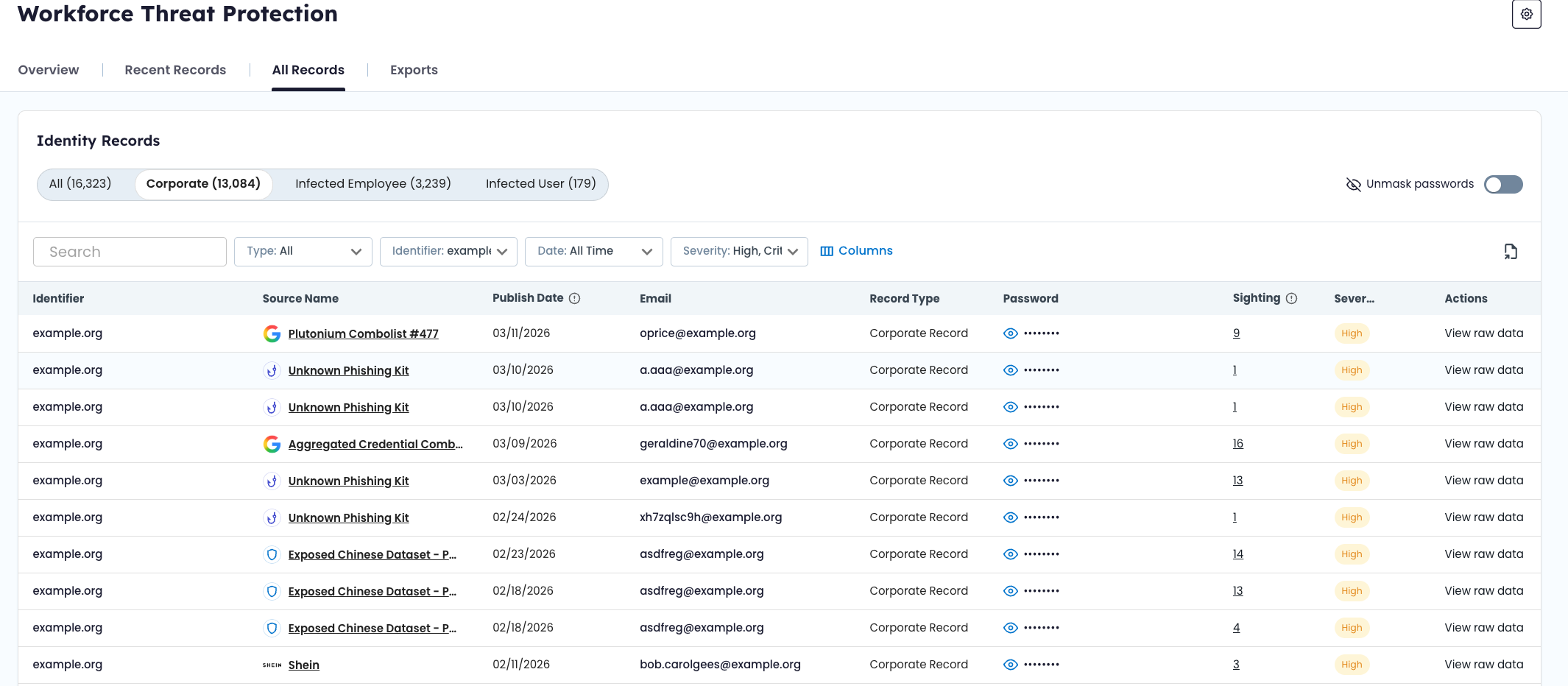
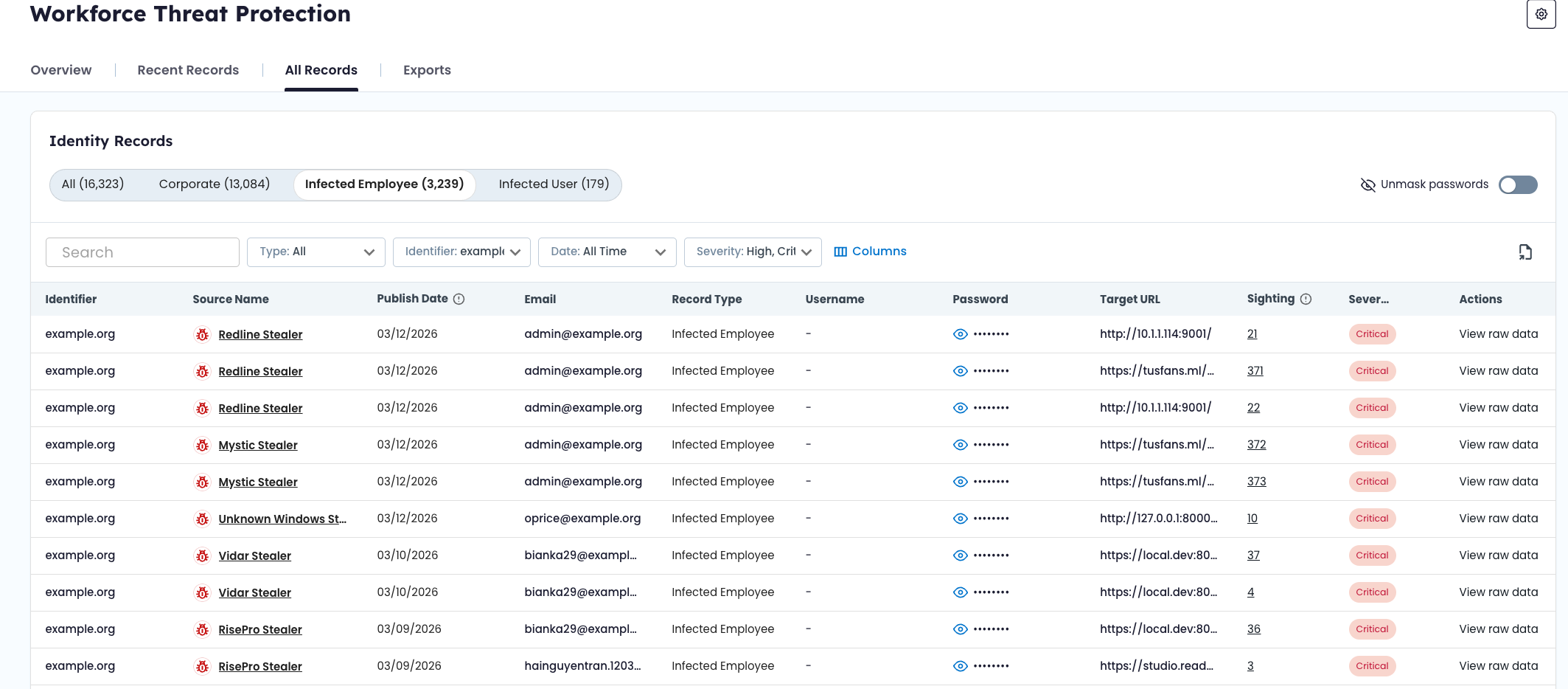
🔎 Filtering Records
The All Records view includes server-side filtering to help narrow results.
Available filters include:
- Identifier type (domain, email, IP, subdomain)
- Specific identifier value
- Severity
- Source
- Date range
Filters can be combined to refine the dataset. When filters are applied, all counts and visible rows update dynamically.
📅 Date Range Filter
The date range filter scopes records based on their discovery date within the product.
This filter is independent of the global Overview dashboard date range. Adjusting filters here does not change dashboard metrics.
🔍 Search Functionality
The search bar allows free-text search across indexed fields, including:
- Email address
- Username
- Identifier value
- Source title
- Select searchable metadata fields
Search operates within the currently selected filters and record type tab.
🗂 Record Detail Drawer
Selecting a record opens the Record Detail Drawer.
The drawer displays all available structured fields associated with that record. Field availability varies by record type and source.
Common fields may include:
- Email address
- Username
- Password (masked by default)
- Target URL (when available)
- Source title
- Severity score
- Discovery date
- Sighting history
- Raw or additional source metadata
🔐 Password Visibility
Passwords are masked by default. Users with appropriate permissions can toggle visibility.
Password visibility controls do not modify the underlying data. They affect display only.
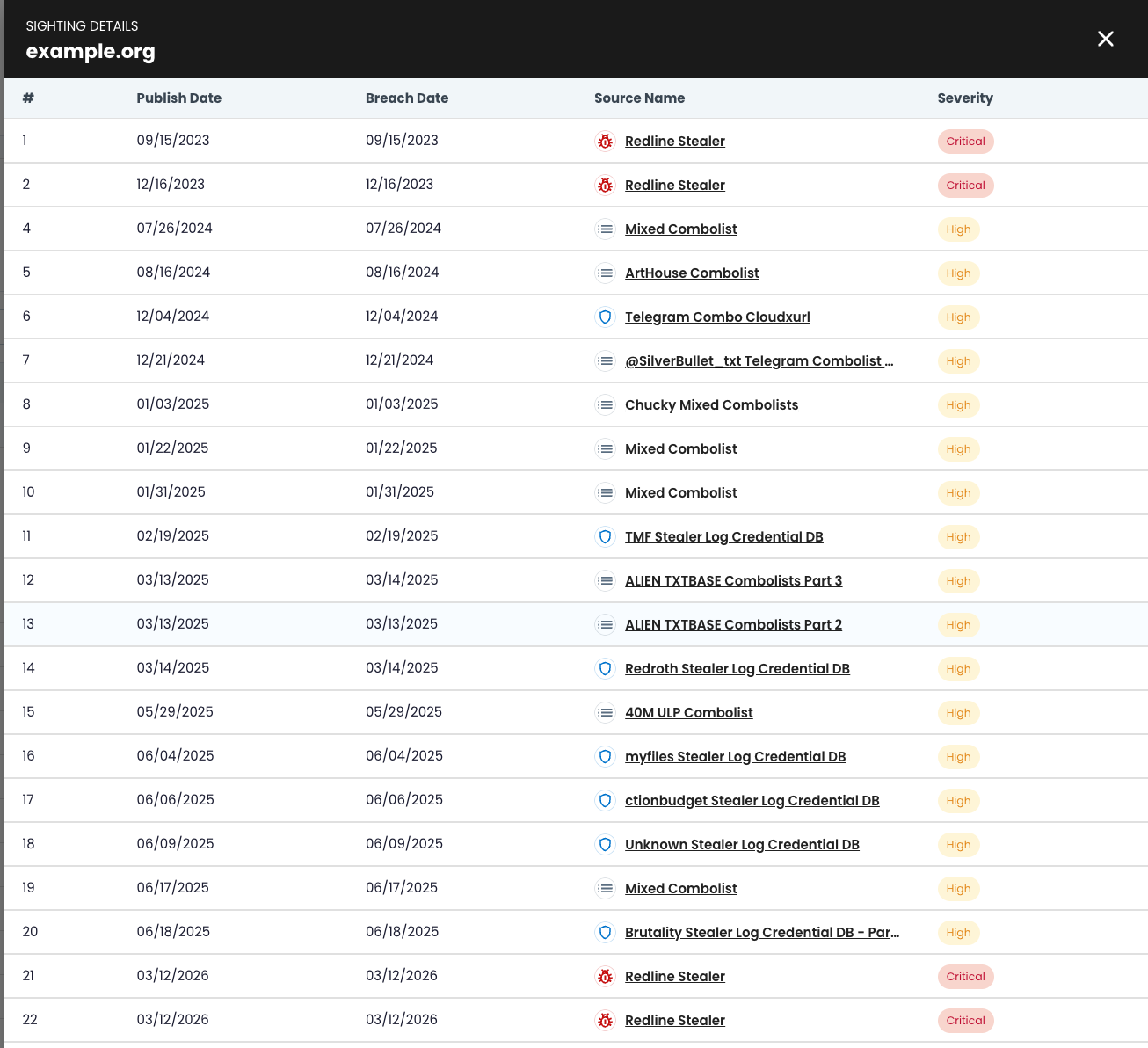
👁 Sighting History
Some records include a sighting count, which reflects how many times the same credential has appeared across multiple recaptured datasets.
Sighting history provides additional context but does not change severity scoring.
For more information on sighting logic and severity scoring, see Data Model & Record Types and Severity Levels.
🔄 Relationship to Other Views
- The Overview Dashboard provides aggregated metrics and trend analysis.
- The Recent Records view highlights newly ingested or recently updated records for workflow tracking.
The All Records view provides the most complete and flexible dataset for reviewing exposure data tied to your organization.
Infected User Records
If the Infected User view is enabled for your account, the Infected User tab appears as a selectable record type. These records are derived from malware logs and may include:
- Stolen credentials
- Session cookies
- Browser-stored authentication data
Session cookies may allow attackers to reuse authenticated sessions without re-entering credentials.
Definition of an Infected User
Recaptured exposure data — including stolen credentials and session cookies — tied to users associated with your domain who are operating malware-infected devices.
Updated 6 months ago