
Recent Records
VIEWING RECENTLY EXPOSE IDENTITY RECORDS
Triage Workflow (Recent Records)
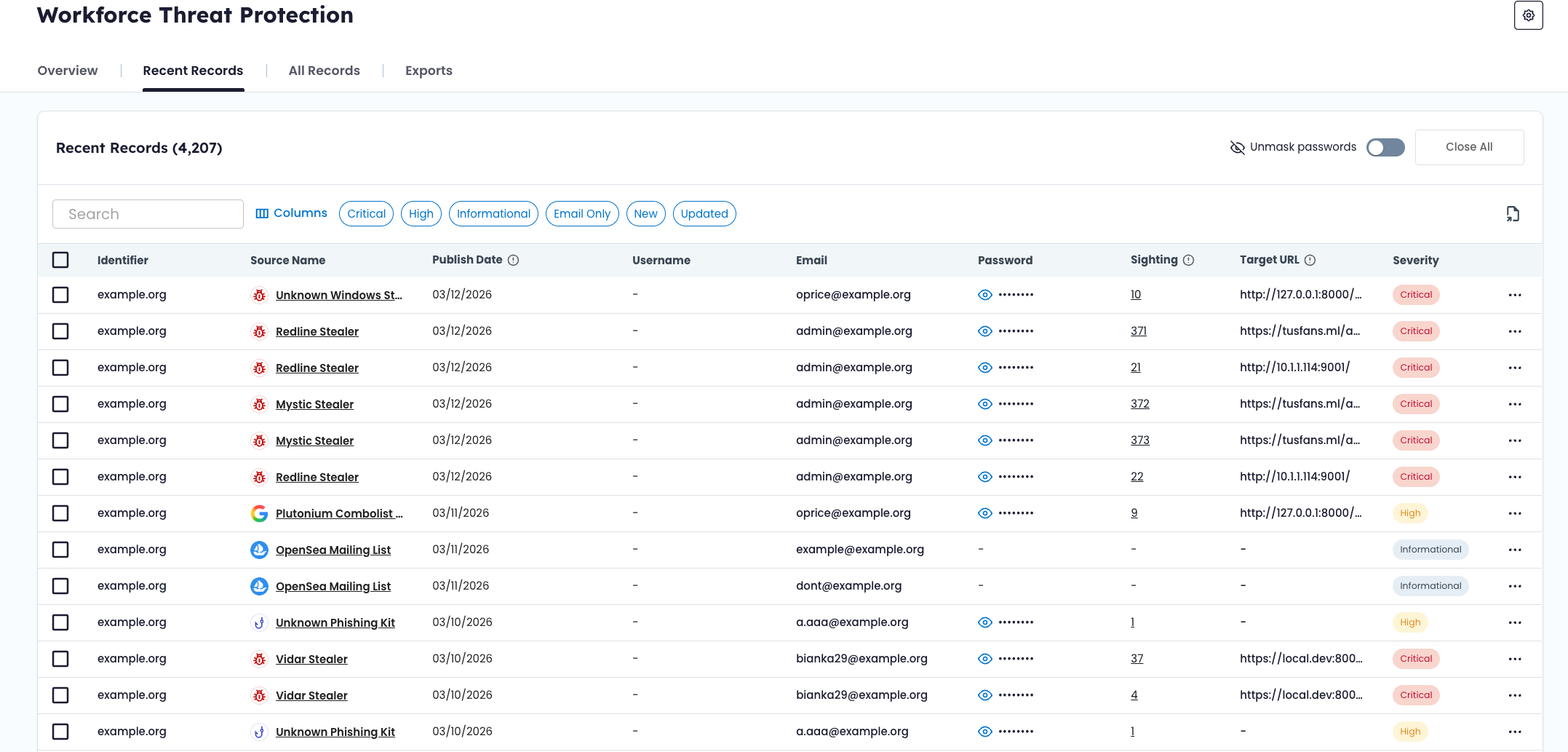
The Recent Records view highlights newly ingested and recently updated exposure records.
This view is designed to help teams track changes in exposure data over time and manage record review status.
Unlike the All Records view, which shows the full dataset, Recent Records focuses specifically on what is new or has changed.
🆕 What Appears in Recent Records
The Recent Records tab displays records that have been:
- Newly ingested into the product
- Updated with additional data (for example, new sightings or modified fields)
Records appear here based on ingestion or update activity — not based on the original breach or malware event date.
This means a credential originally exposed months ago may appear in Recent Records if it was newly recaptured or enriched.
✅ Reviewing a Record
To review a record:
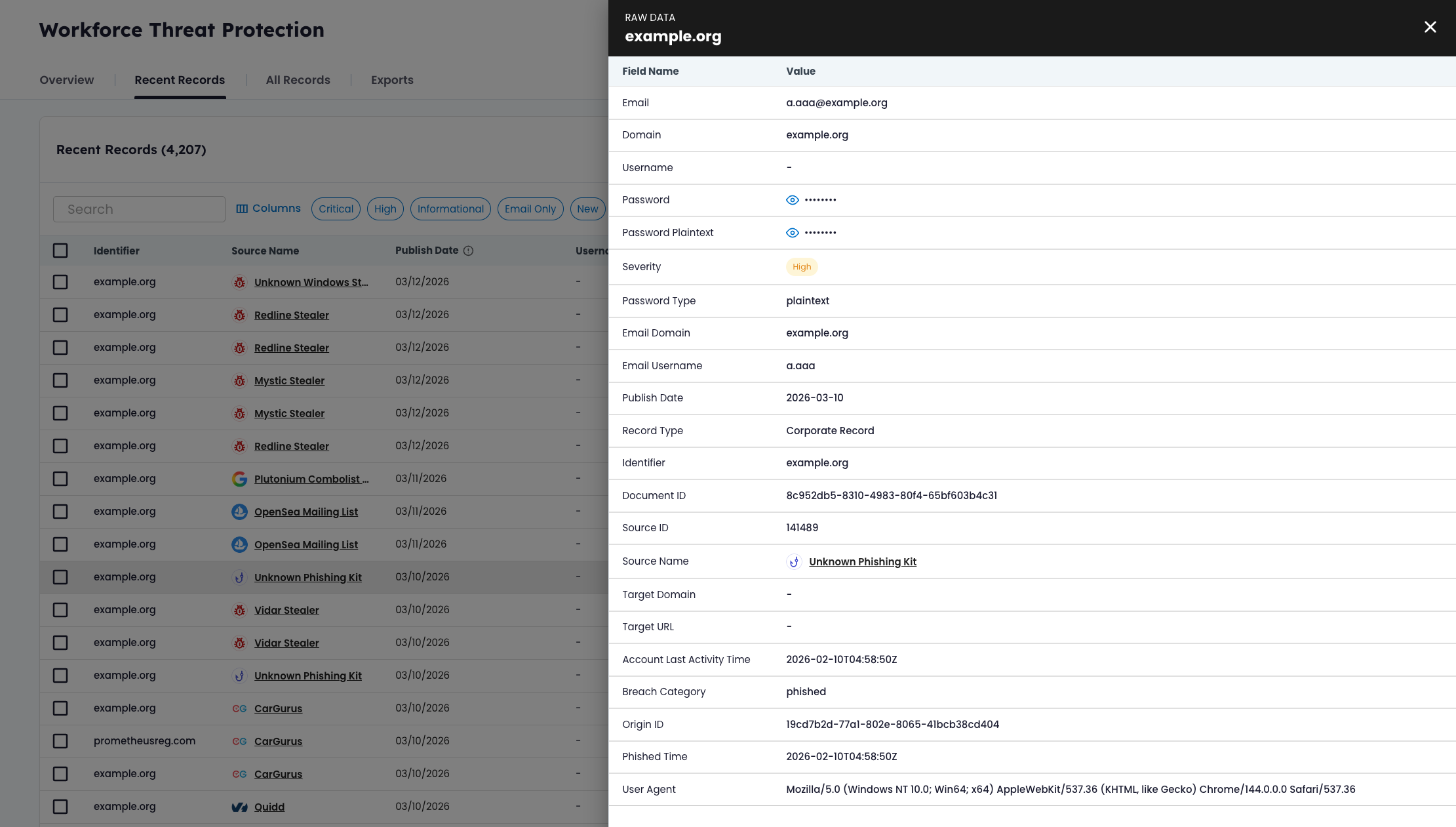
- Select the record from the list.
- Open the Record Detail Drawer.
- Review available fields, source context, severity, and sighting history.
- Update the record status if appropriate.
💡 Note
Opening a record does not automatically change its status.
🧹 Dismissing Records
Records can be dismissed individually or in bulk.
Individual Dismissal
- Open the record in the detail drawer.
- Select Dismiss.
The record status changes to Dismissed and is removed from the default New/Updated view.
Bulk Dismissal
You can select multiple records and use the bulk Close action.
This updates the status of all selected records to Dismissed.
Close All
The Close All option dismisses all currently visible records in the Recent Records view.
This action applies only to the filtered dataset currently displayed.
👁 Viewing Dismissed Records
Dismissed records are not deleted. To view them: Apply the Dismissed status filter within the Recent Records view. Dismissed records remain searchable and accessible in both Recent Records and All Records.
🔄 Relationship to Other Views
- The All Records view contains the complete dataset of matched exposure records.
- The Overview Dashboard reflects aggregated metrics across your watchlist identifiers.
Recent Records is workflow-focused. It highlights changes in exposure data so teams can track review activity and manage record state over time.
🧠 Operational Notes
- Status changes affect workflow visibility only.
- Dismissing a record does not remove it from the All Records dataset.
- If a dismissed record is updated in the future, it may reappear as Updated.
This ensures that newly recaptured or enriched exposure data is surfaced, even if related records were previously reviewed.
Updated 6 months ago