Executive Summary Report
GENERATE A DOMAIN-LEVEL EXECUTIVE SUMMARY OF EXPOSURE RISK
What it is
The Executive Summary Report is a point-in-time summary you generate on demand within the SpyCloud Console. Select a domain and a date range, and SpyCloud turns your recaptured data into a written executive summary. Behind the scenes, SpyCloud's AI does the work of synthesizing potentially thousands of exposure records into three headline findings, so your team doesn't have to.
Notes: Requires an active SpyCloud Workforce Threat Protection or Endpoint Threat Protection license
How to generate an Executive Summary Report
- From the Overview tab or the Reports tab (in Workforce Threat Protection or Endpoint Threat Protection), select a monitored domain.
- Choose a date range: 7 days, 3 months, 6 months, or a custom range.
- Click Generate. You'll be taken to the Reports tab, where the summary builds.
- Review it in the browser, or export it as a PDF.

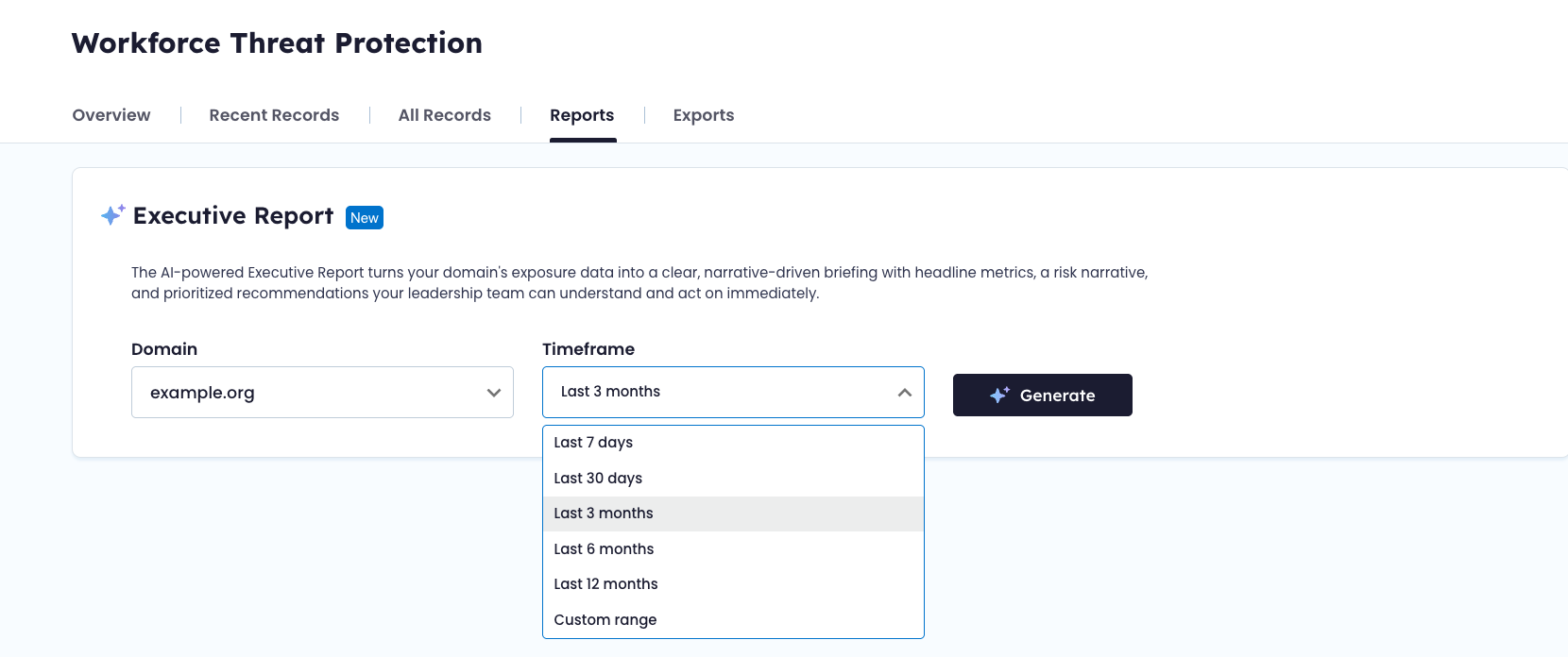
Generate an exposure report directly from your overview dashboard in Workforce Threat Protection or within the new Reports tab.
What's in the report
- Exposure by source, period over period: malware infections, phished employees, third-party breaches, and combolists, compared against the previous period.
- Top three findings: the exposure patterns that mattered most in that window, whether that's a recurring phishing kit, a small group of repeat-exposure employees, or a shift in breach sources.
- Insights and recommendations: SpyCloud research and technical guides tied to what the report found.
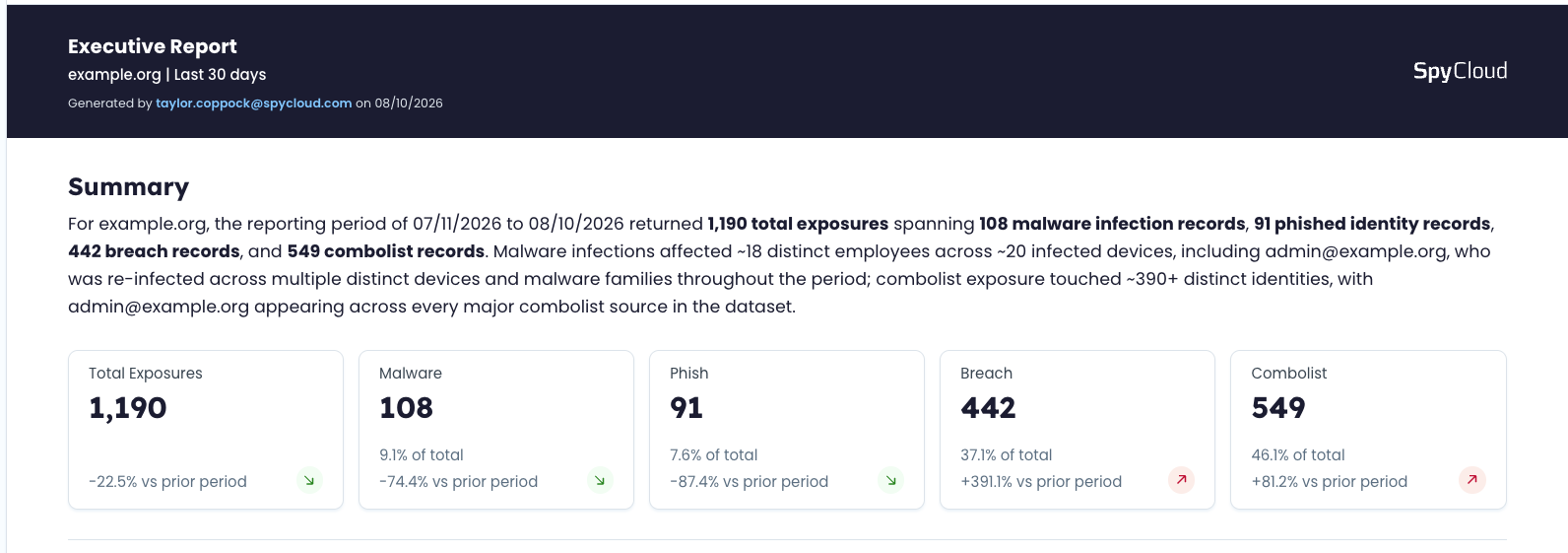
View a summary of your domain for any time frame, with trends across each exposure type
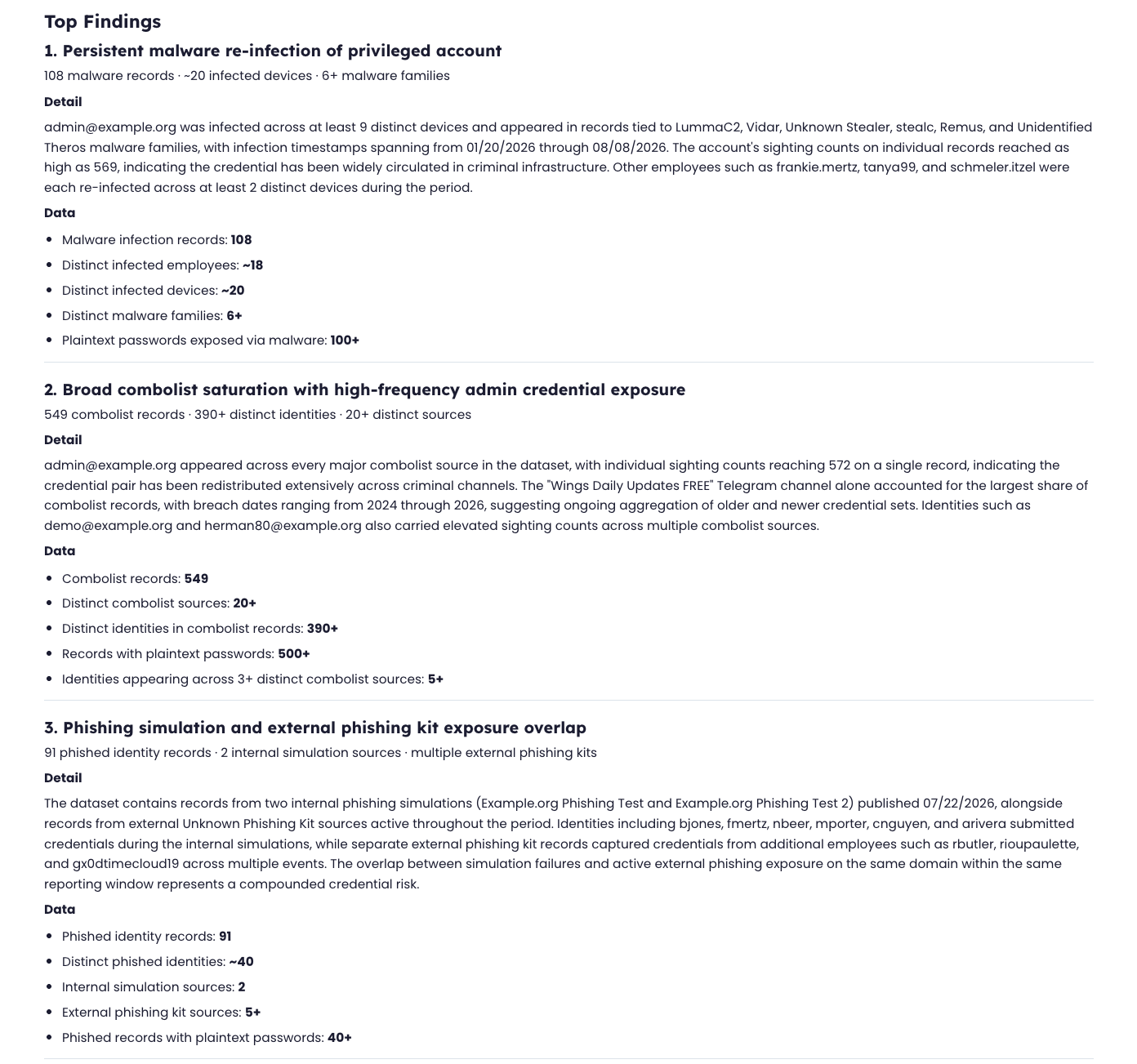
Always receive 3 top findings for each report. Highlight risky employees, top malware families or phishing kits, exposed password patterns, or other unique Findings for the time period.
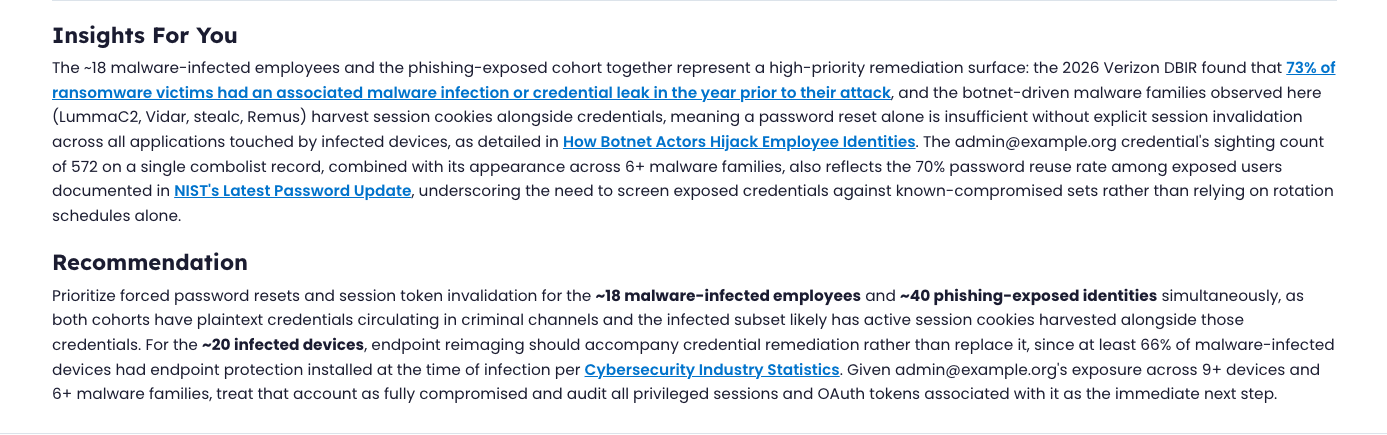
Every report includes curated Insights and Recommendations - recent SpyCloud Blogs covering new threat types, or popular user guides on SpyCloud Docs covering best practices.
When to use it and when not to
Think of the report as a rear-view mirror, not a windshield: it tells you what happened over the selected window. It doesn't replace continuous monitoring or remediation.
Use it when you need to:
- Brief leadership or the board on exposure trends over a specific period
- Get a fast directional read before digging into individual records
- Summarize a specific window (post-incident, post-acquisition, a compliance period) without compiling one by hand
Don't rely on it for:
- Real-time detection or alerting: Workforce and Endpoint Threat Protection handle that continuously, in the background
- Remediation: the report tells you where to look; it doesn't act on exposures itself
Who should use it
- SOC/IAM admins and analysts generate the report and use it to prioritize where to dig into records next.
- CISOs and security leadership are usually the ones reading the finished report, either in the SpyCloud Console or as a PDF.
Updated 15 days ago