
Endpoint Threat Protection Fundamentals
HOW TO NAVIGATE AND REVIEW INFECTED DEVICES AND COMPROMISED APPLICATIONS
Using Endpoint Threat Protection
This guide explains how to navigate the module and use the data to understand infection scope and identity risk.
💻 Reviewing Infected Devices
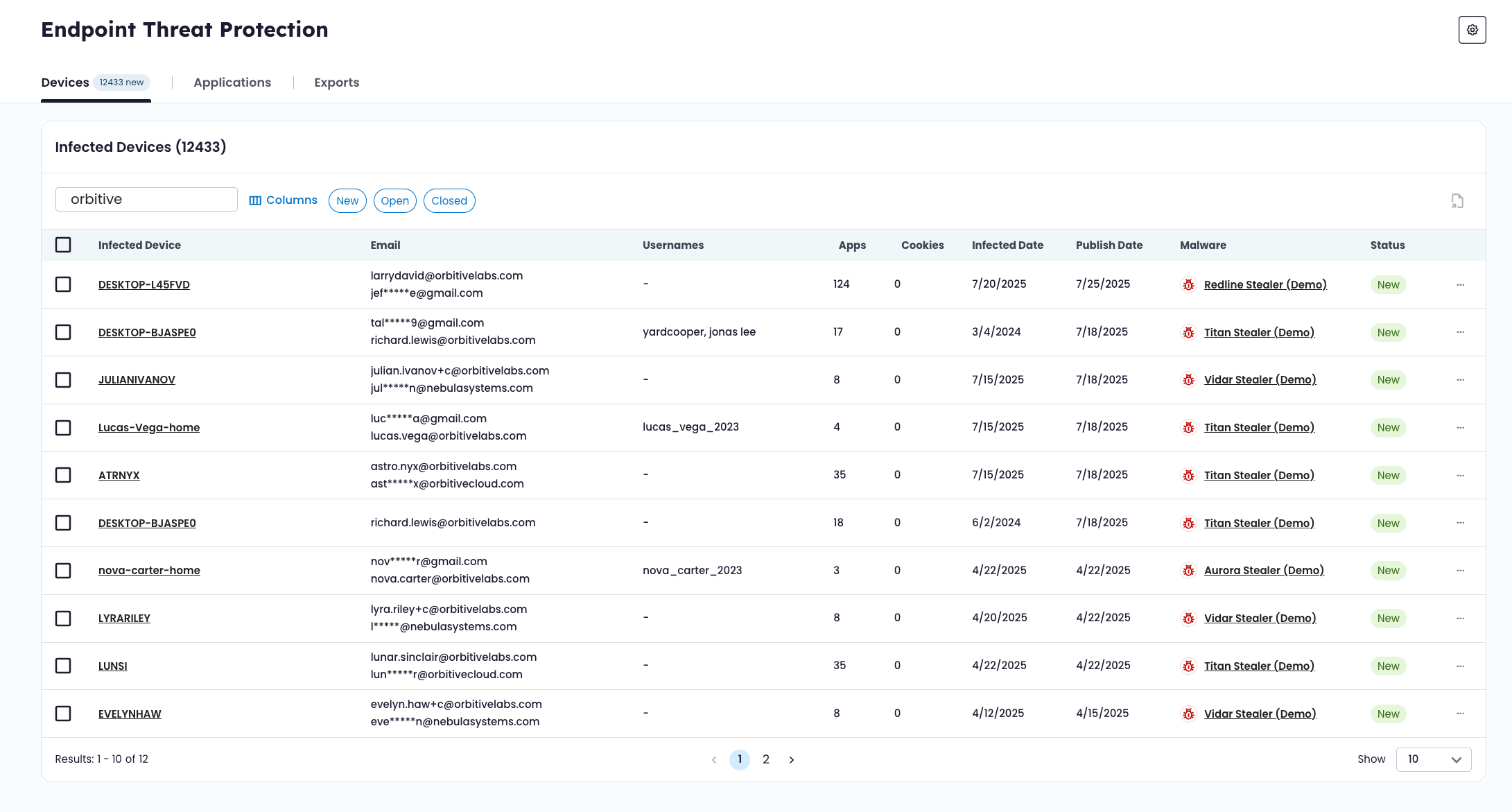
The Devices tab shows infection events tied to your organization.
Each row represents a device infection event. From here, you can:
- Sort and filter by status
- Search by hostname, infection event ID, or other attributes
- Identify newly surfaced infections
- Open detailed device views
Selecting a device provides full infection context, including:
- Malware family
- Infection timing
- IP and geolocation information
- Exposed applications
Below the device summary, the Exposed Applications table shows every credential record harvested from that machine.
This allows you to see exactly which services were impacted by a specific infection.
🌐 Reviewing Compromised Applications
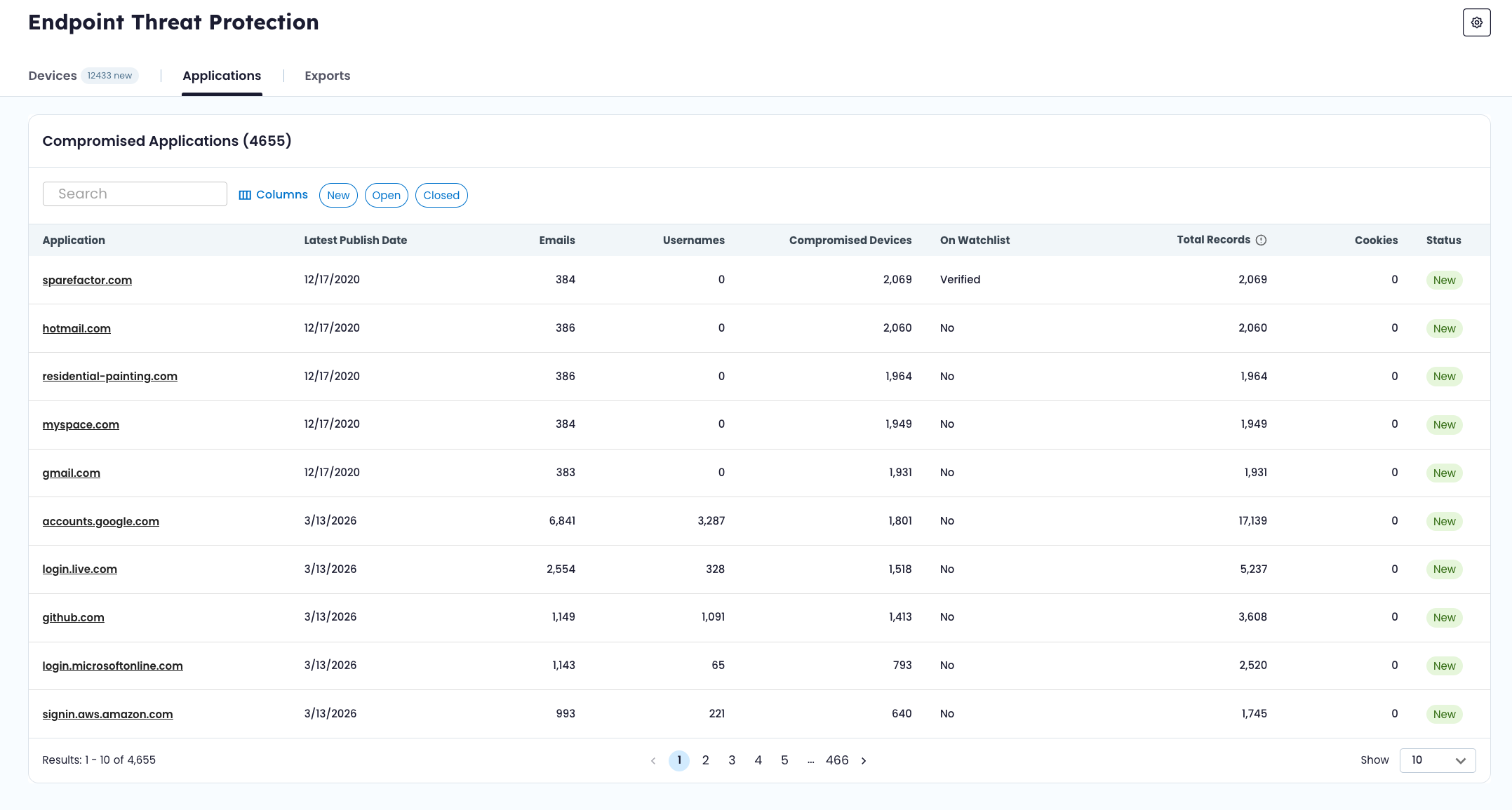
The Applications tab shows domains and services where credentials were harvested across infected devices.
From this view, you can:
- Identify which services have the highest exposure
- See how many devices exposed credentials for a given application
- Determine whether the domain is on your watchlist
- Drill into credential-level records
Application detail pages provide a consolidated view of every credential entry tied to that service.
🔎 Understanding Exposure Scope
Endpoint Threat Protection helps answer questions such as:
- How many devices were infected?
- Which malware families are impacting the workforce?
- Which internal applications were exposed?
- Which third-party services contain reused credentials?
- Are session cookies present in the harvested data?
By moving between device and application views, you can understand both the origin of exposure and its potential impact.
🔄 Updating Status
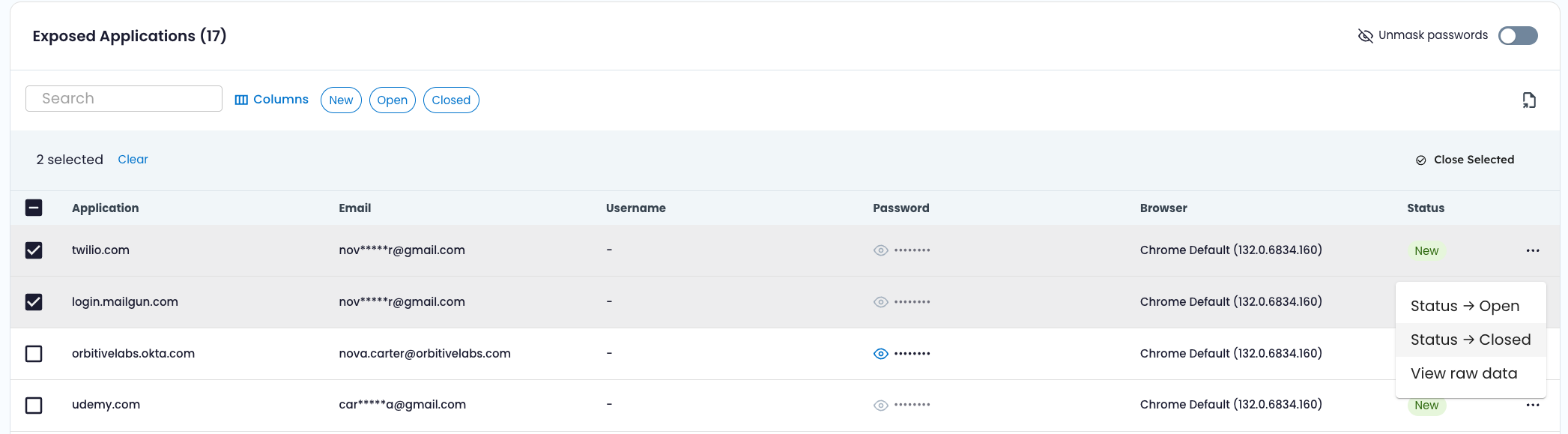
Devices and individual credential records can be marked:
- New
- Open
- Closed
Status updates can be performed individually or in bulk.
Status reflects internal tracking and does not change exposure evidence.
📤 Exporting Data
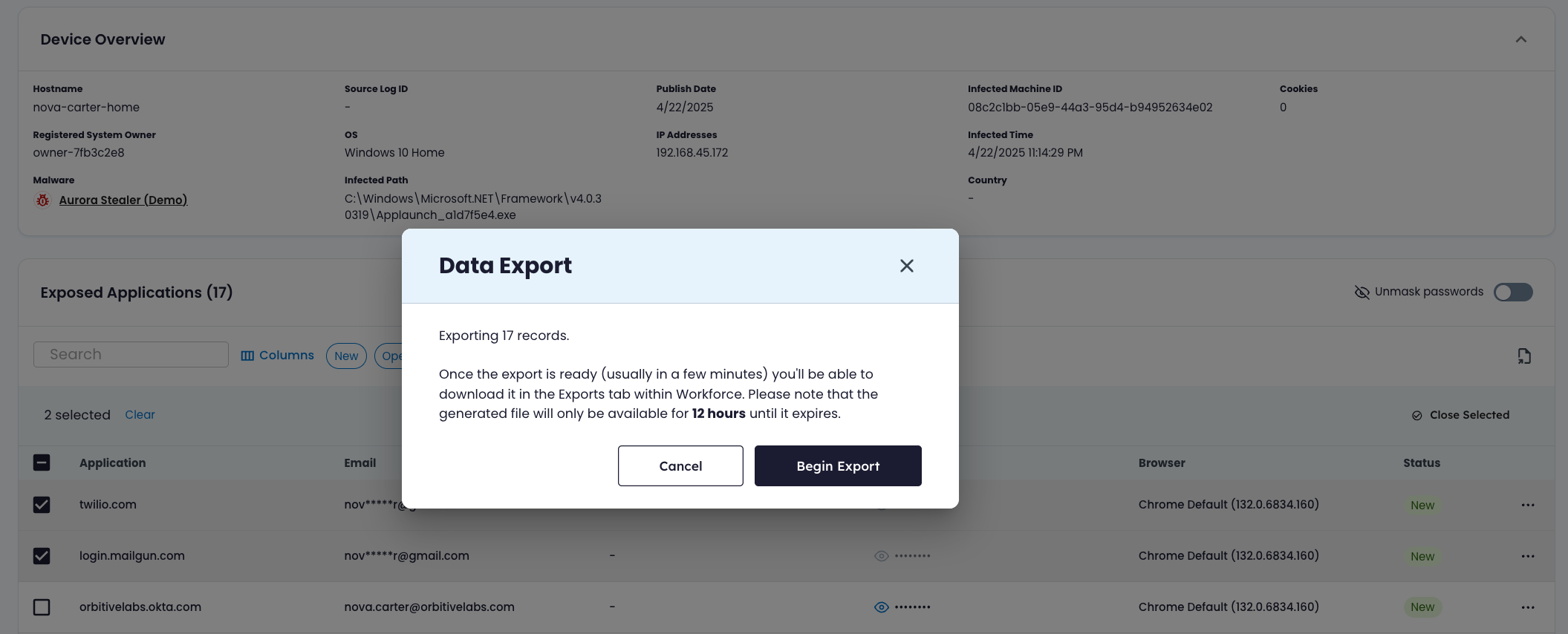
Endpoint Threat Protection supports three export types:
| Export Type | Description |
|---|---|
| Devices Summary | Exports infected devices, optionally filtered by status |
| Device Detail | Exports all credential records associated with a specific infection event |
| Application Detail | Exports all credential records associated with a specific application |
Exports are processed asynchronously.
Export statuses include:
- Pending – Export is processing
- Available – File is ready for download
- Expired – File is no longer available
- Failed – Export did not complete successfully
Exports provide structured infection and credential data for use in internal response, reporting, or integration workflows.
Updated 6 months ago