
Supply Chain Fundamentals
How to understand and filter Supply Chain Threat Protection data
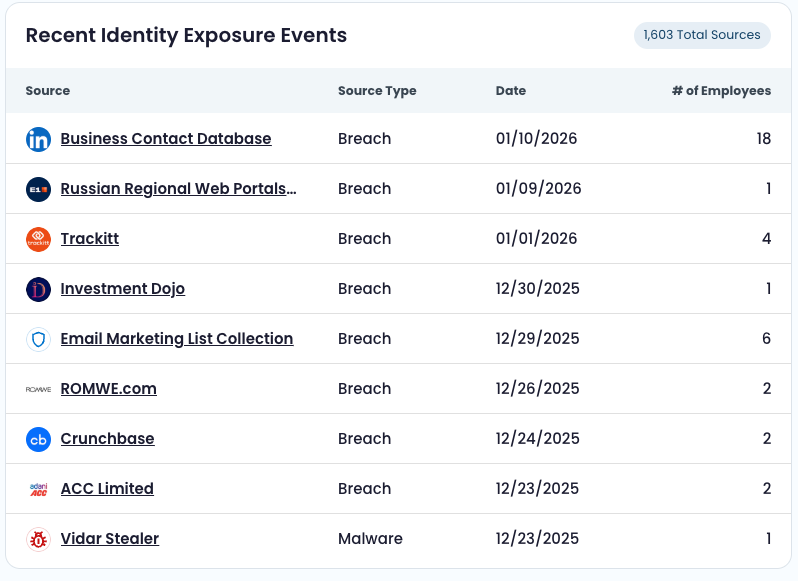
Recent Identity Exposure Events: See specific malware families, breach sources, and phishing campaigns with number of impacted employees
Understanding the data
How records are associated with a company
A record is associated with a company using the record’s domain attribute. Any record whose domain matches one of the company’s monitored domains is associated with that company.
Domain derivation (email → domain)
Frequently, the domain is derived from the email address domain on the record.
Example
[email protected] has an email domain of sub.domain.com and can be associated with companies that own domain.com.
Special case: domainless malware + infected_machine_id
infected_machine_idTop Compromised Applications can also associate some domainless malware records to a company indirectly: if a domainless record shares an infected_machine_id with a record that does have a domain, it may be counted for that company (details below).
How date ranges work in Supply Chain
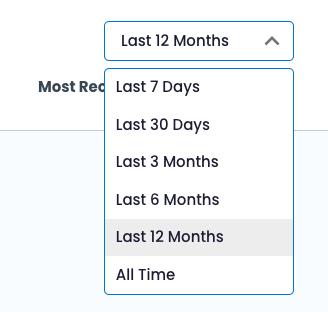
The company view includes a global date range filter. These ranges contain the most recent days with complete data (no gaps) and apply as a filter to many Supply Chain components.
| Supported date range | Definition |
|---|---|
| Last 7 Days | 7 most recent days with complete data |
| Last 30 Days | 30 most recent days with complete data |
| Last 3 Months | 90 most recent days with complete data |
| Last 6 Months | 180 most recent days with complete data |
| Last 12 Months | 365 most recent days with complete data |
| All Time | All days with complete data |
Updated 9 months ago